



PagerDuty
PagerDuty is an incident management platform that helps IT and DevOps teams monitor and resolve critical issues. Connecting PagerDuty to NeuBird enables real-time alert management and automated incident response.
Prerequisites
Section titled “Prerequisites”Permission Required
The API key must be from a user that has write access to create status updates on incidents and add notes to incidents.
Create an API Key
Section titled “Create an API Key”Sign in to your PagerDuty dashboard and follow the instructions below:
-
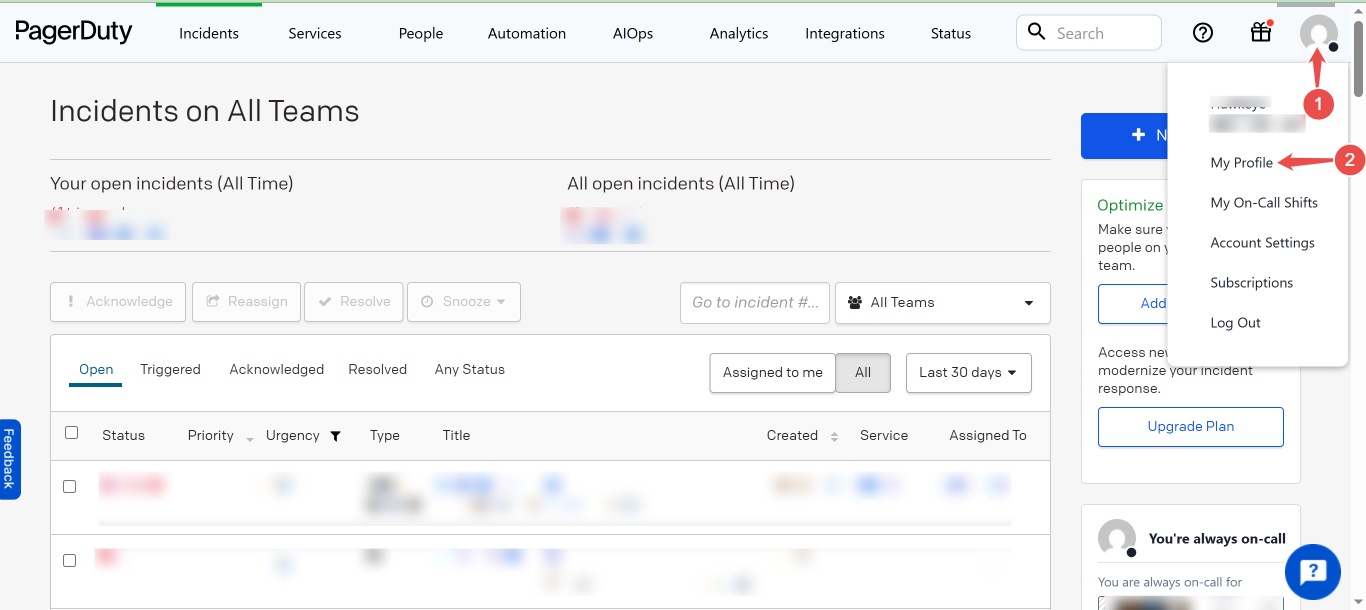
Navigate to My Profile: On the top right corner of your dashboard, click the profile icon, then navigate to My Profile.
-
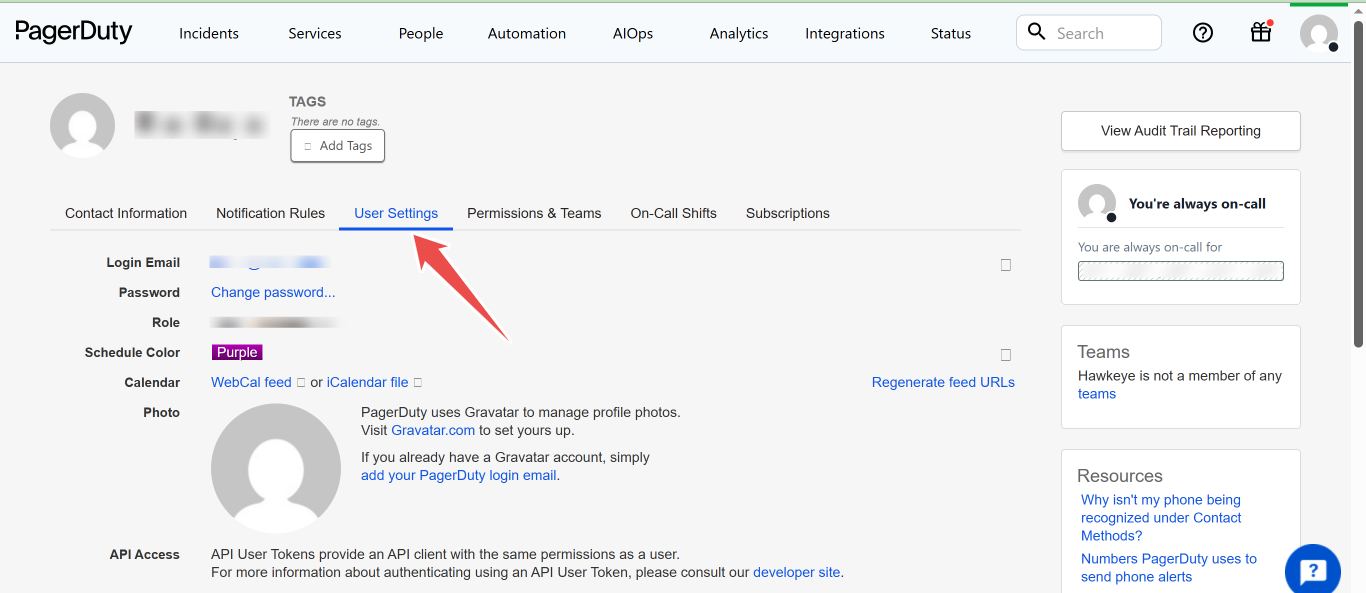
Locate User Settings: In the Profile page, click on the User settings tab.
-
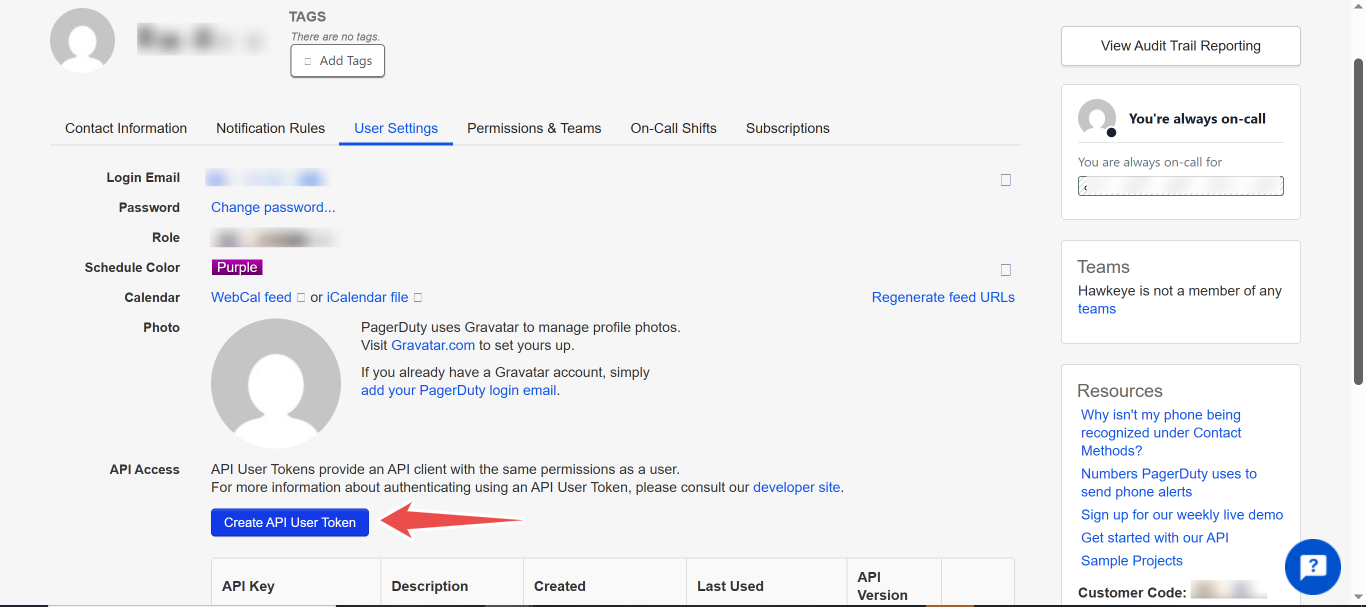
Create a new API User Token: On the User Settings page, click the button labeled Create API User Token.
-
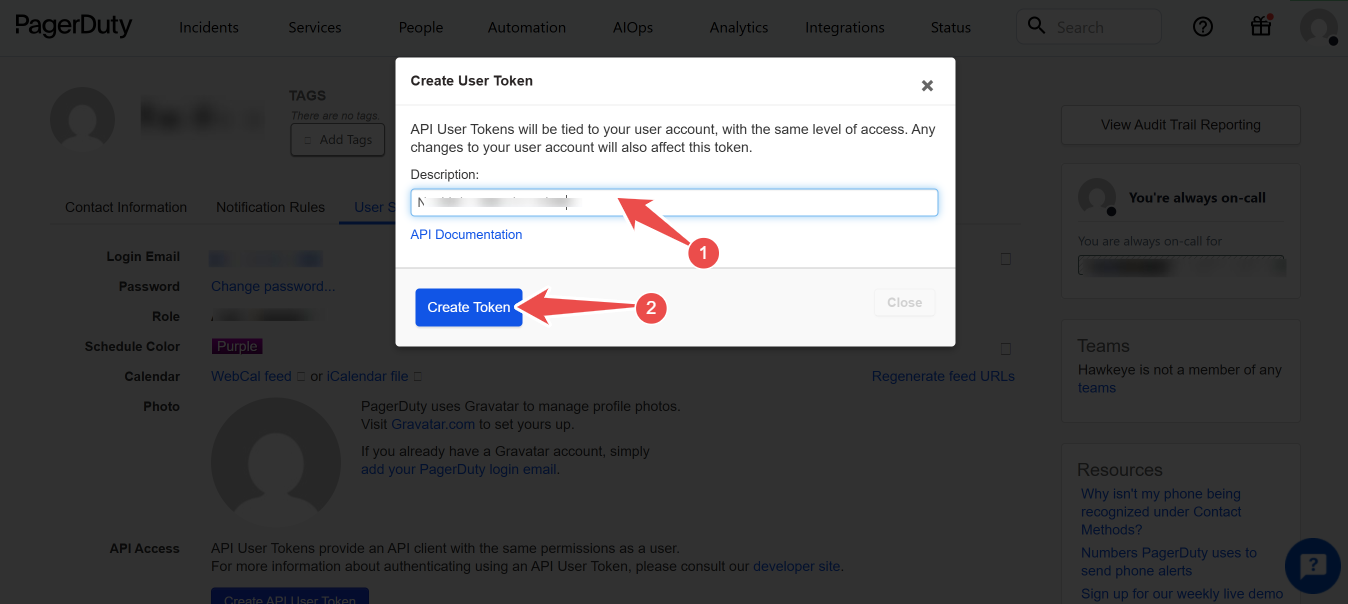
Input Description: Provide a description for the API token and click the Create token button.
-
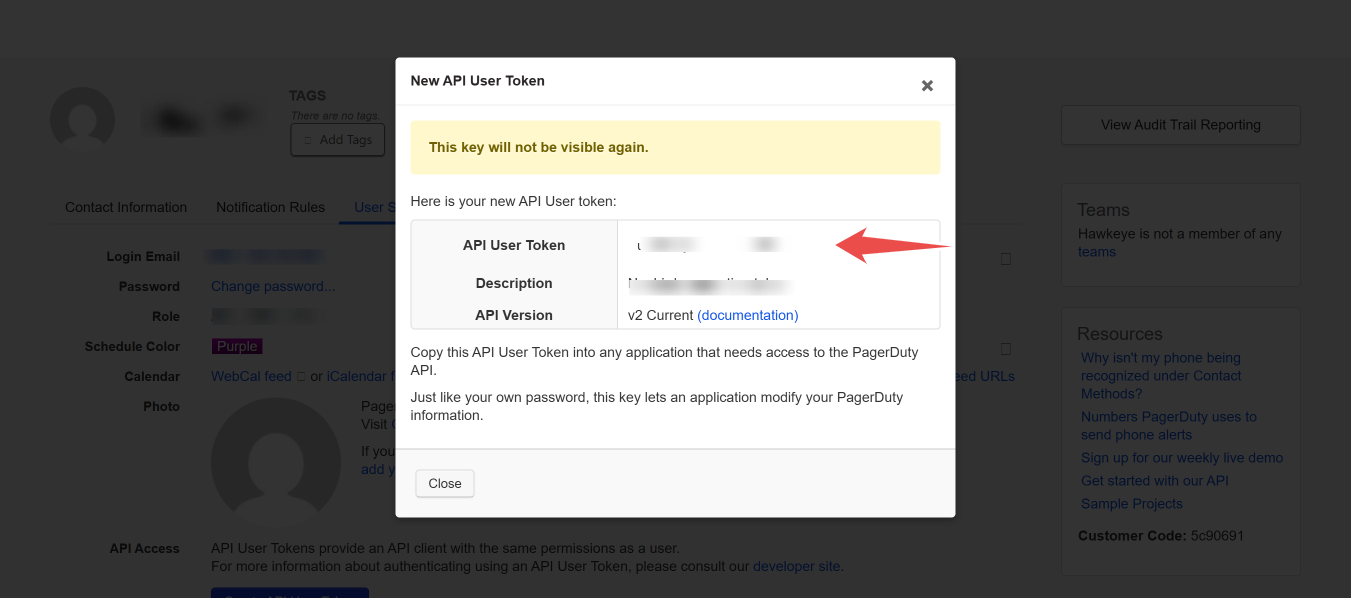
Copy and save your new API User Token.
Important
Save your API key somewhere safe. You will not be able to retrieve it after closing this dialog.
Connection Fields
Section titled “Connection Fields”| Field | Required | Description |
|---|---|---|
| Name | Yes | A descriptive name for this connection |
| Description | No | An overview of what this connection is used for |
| API Key | Yes | The PagerDuty API User Token created in the steps above |
For general instructions on creating and managing connections, see the Connections Overview.