

Kloudfuse
Integrating Kloudfuse with NeuBird makes your logs and metrics available to investigations.
NeuBird authenticates with a service account token issued from Kloudfuse. A service account is scoped by policy, identifiable in your audit logs, and revocable on its own.
You also need your Endpoint URL, the base URL of your Kloudfuse instance.
Step 1: Create a service account
Section titled “Step 1: Create a service account”-
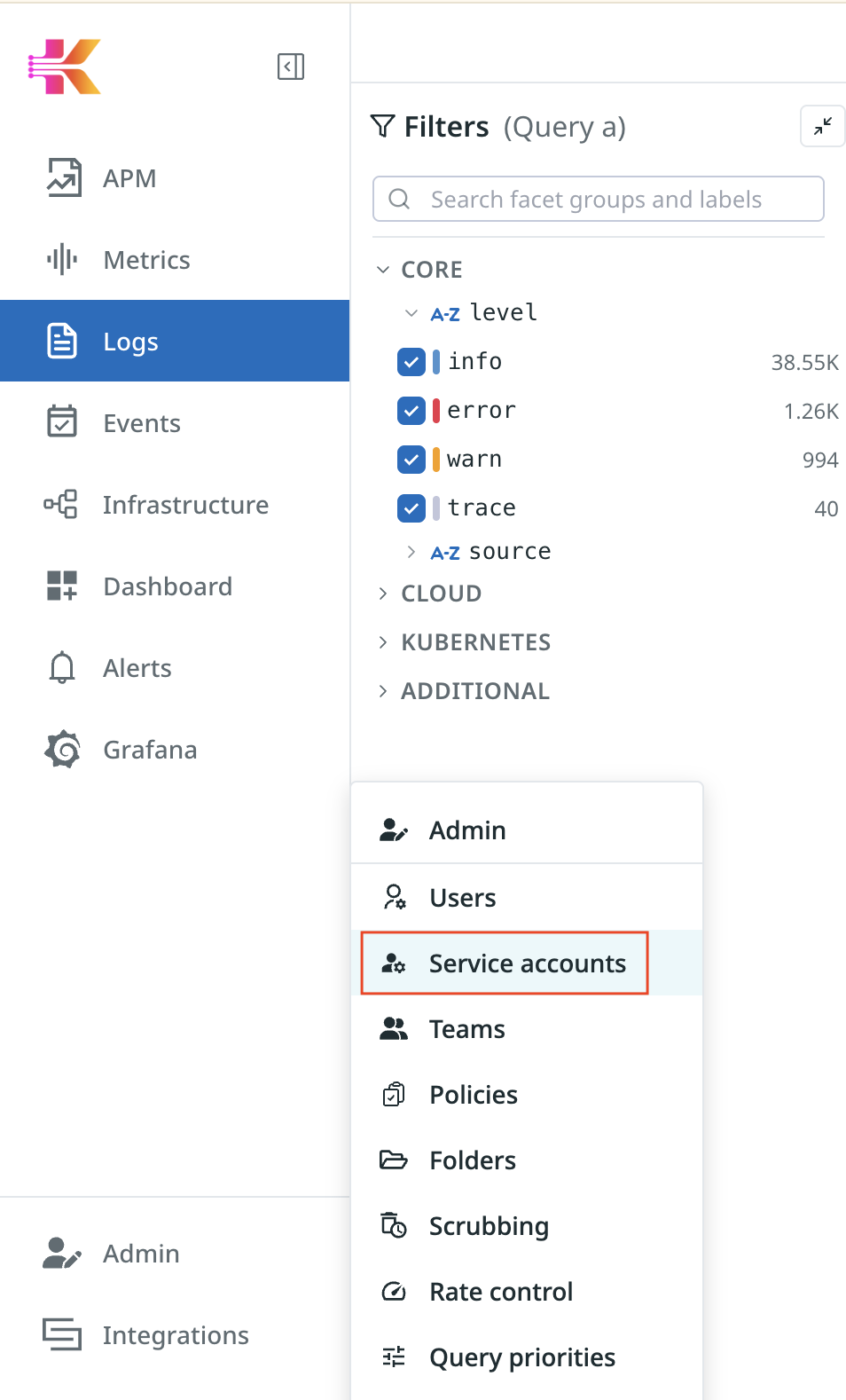
In Kloudfuse, open Admin and select Service accounts.
-
Click Create service account.

-
Give it a name such as
neubird-service-accountand set Role to Viewer, then click Save. Viewer is enough — NeuBird only reads.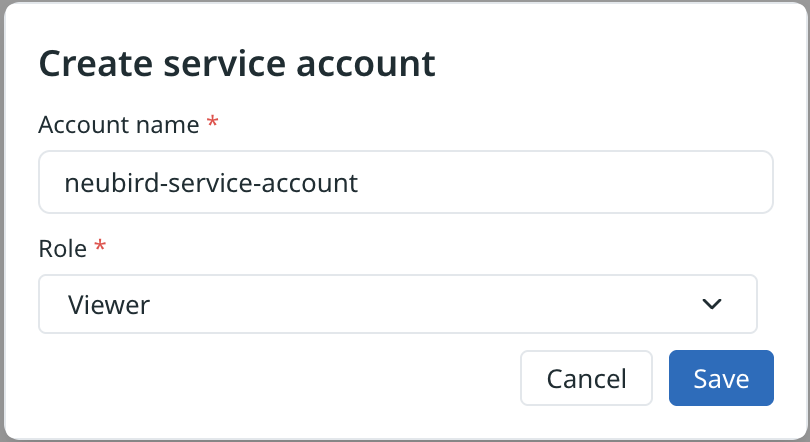
Step 2: Create an access policy
Section titled “Step 2: Create an access policy”-
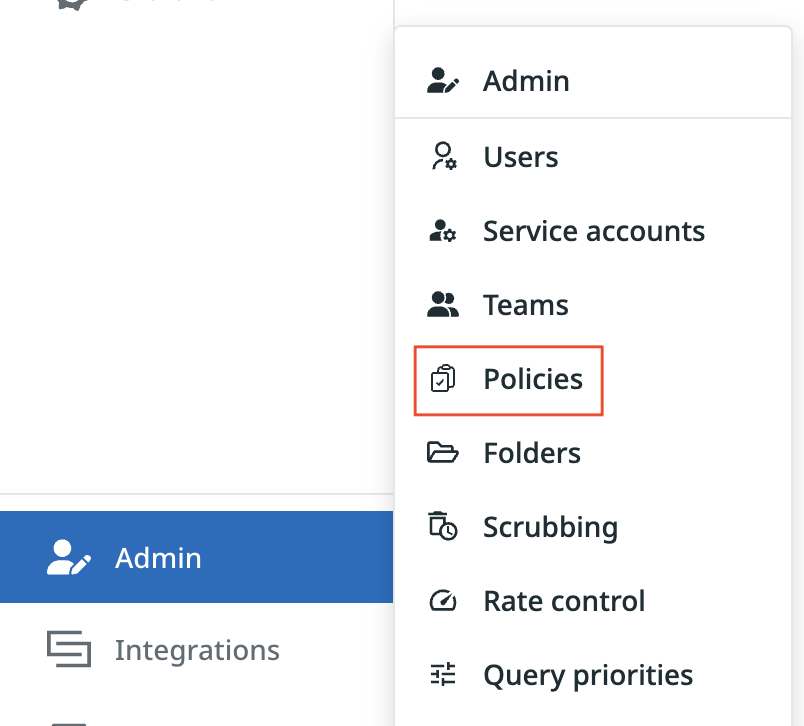
Back in Admin, select Policies.
-
Click Create policy.

-
Name it, for example
neubird-access-policy, then set the scopes. Access type of All with Logs and Metrics selected covers what NeuBird queries; include Events and APM if you want those correlated too.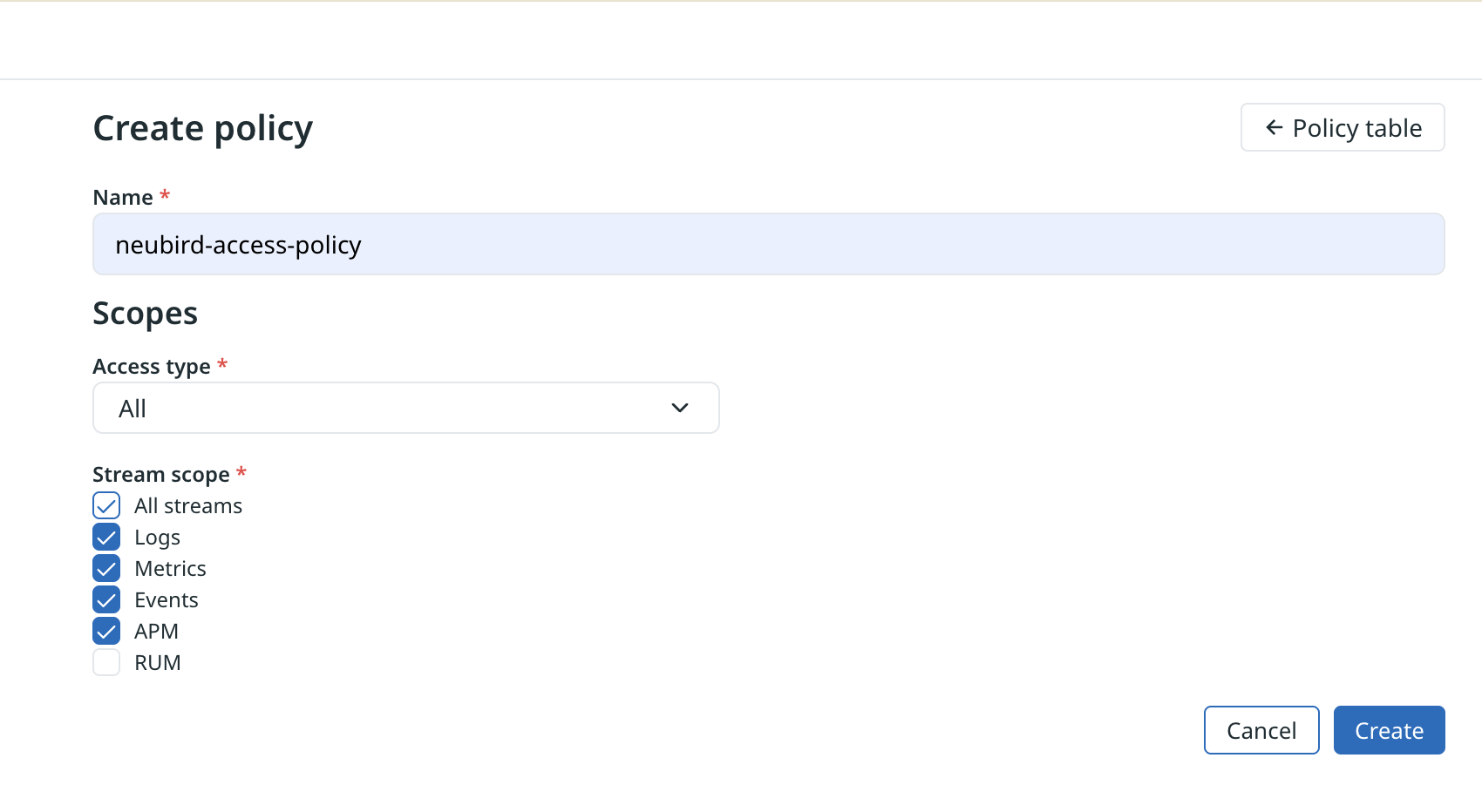
Click Create.
Step 3: Attach the policy to the service account
Section titled “Step 3: Attach the policy to the service account”-
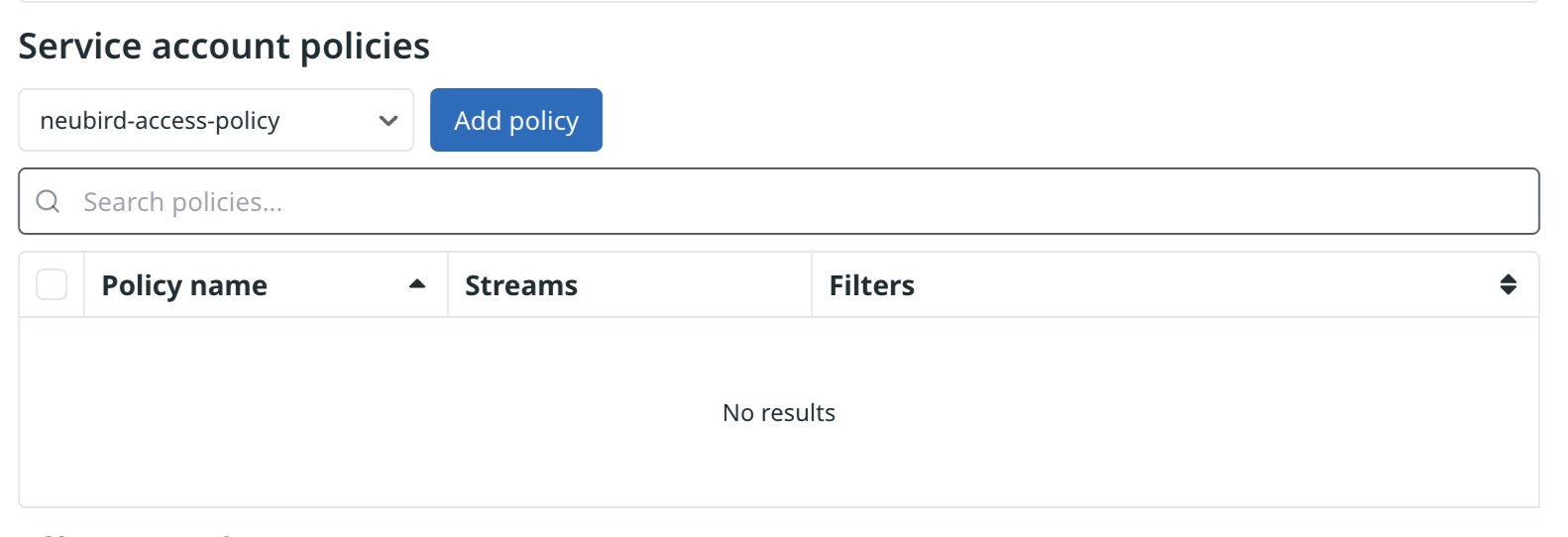
Open the service account, choose your policy under Service account policies, and click Add policy.
-
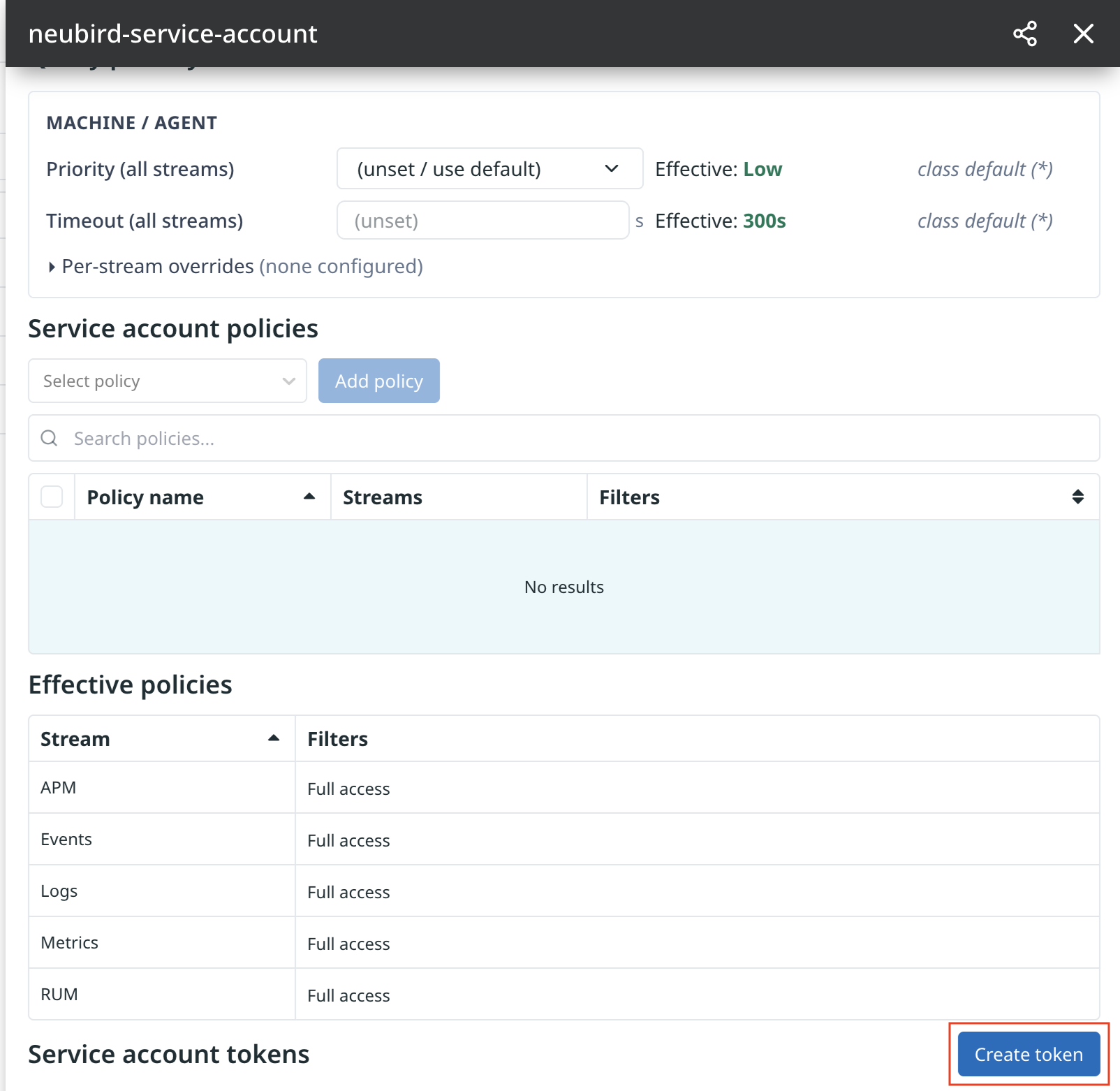
Confirm the Effective policies table shows the streams you expect.
Step 4: Create the token
Section titled “Step 4: Create the token”-
Click Create token, give it a name such as
neubird-service-access-token, and click Create token.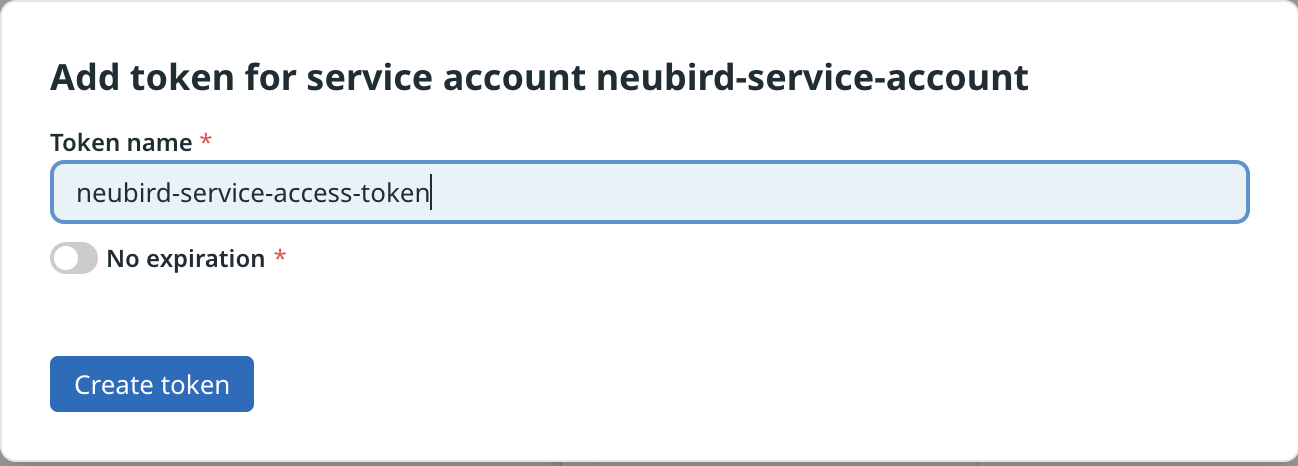
Leave No expiration off if your policy requires rotation — but note the connection stops working when the token expires, with no warning beforehand.
-
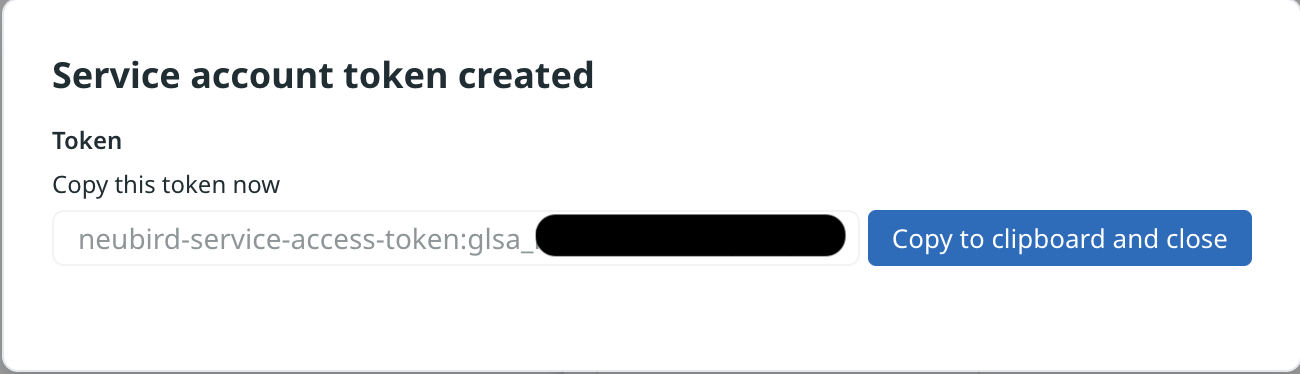
Copy the token immediately.
Add the Connection in NeuBird
Section titled “Add the Connection in NeuBird”- In NeuBird, go to Settings > Connections and click Add Connection.
- Select KloudFuse.
- Enter a Name and, optionally, a Description.
- Fill in the fields below and click Save.
Connection Fields
Section titled “Connection Fields”| Field | Required | Description |
|---|---|---|
| Name | Yes | A descriptive name for this connection |
| Description | No | Optional note about what this connection is for |
| Endpoint URL | Yes | Base URL of your Kloudfuse instance, e.g. https://kloudfuse.example.com |
| Service Account Token | Yes | The full token from Step 4, including the :glsa_ portion |
Troubleshooting
Section titled “Troubleshooting”| Symptom | Likely cause |
|---|---|
401 on validation | The token was truncated — the value must include everything before and after the colon |
| Validation succeeds, no data appears | The policy attached to the service account does not cover Logs or Metrics |
| Worked previously, now failing | The token expired, or the policy was detached from the service account |
For general instructions on creating and managing connections, see the Connections Overview.