



Splunk Cloud
Connecting Splunk to NeuBird lets NeuBird search your logs and events during investigations. NeuBird talks to the MCP server that Splunk hosts on your own instance, so you need two things: the management endpoint of your Splunk instance and a Splunk authentication token that can run searches.
Prerequisites
Section titled “Prerequisites”- A Splunk user with the
adminrole, or any role that can create authentication tokens. - Token authentication enabled on the instance. On the Tokens page, use Token Settings to enable it if the New Token button is unavailable.
- The Splunk management port (
8089) reachable from NeuBird. On Splunk Cloud this port is restricted by default, so your Splunk administrator may need to open it for NeuBird. If the port cannot be exposed to the internet, connect through Teleport instead.
Create an Authentication Token
Section titled “Create an Authentication Token”-
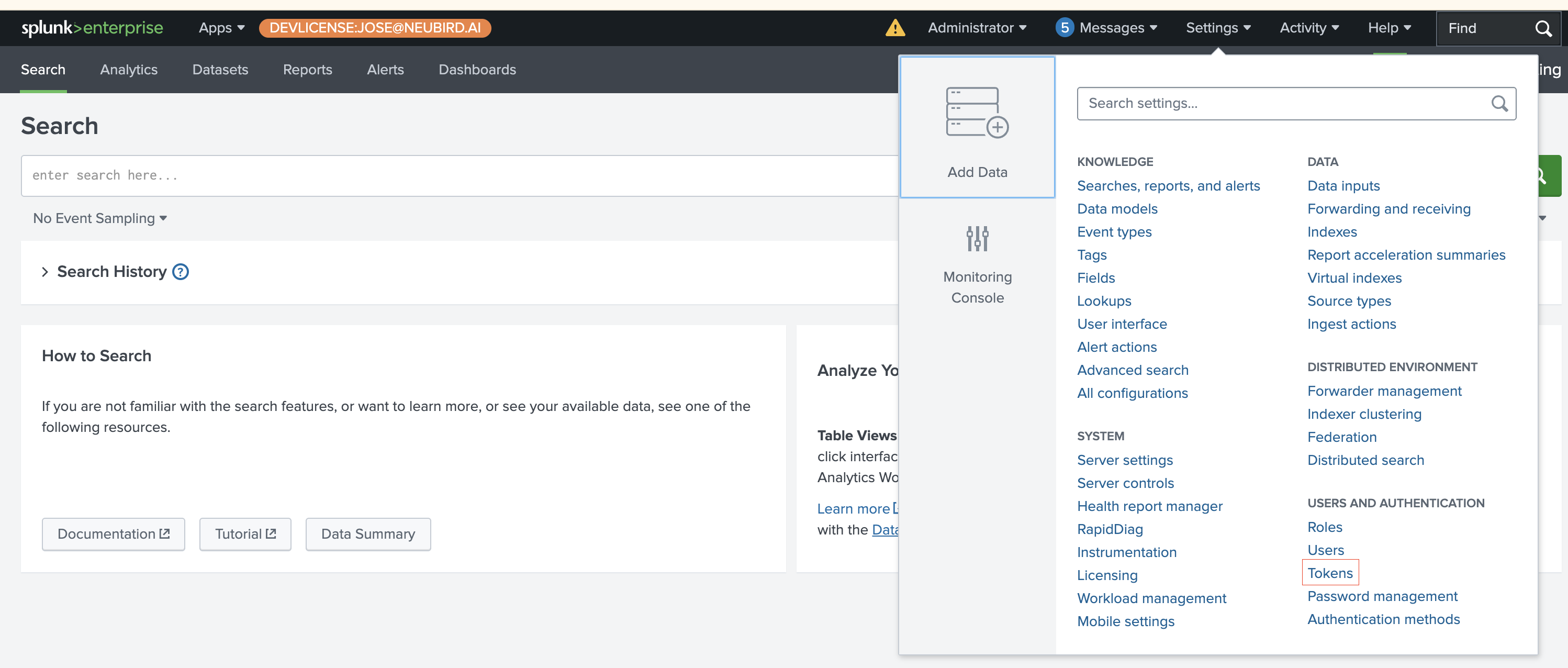
Open the Tokens page: Log in to Splunk, then go to Settings > Tokens (under Users and Authentication).
-
Create a new token: Click New Token.

-
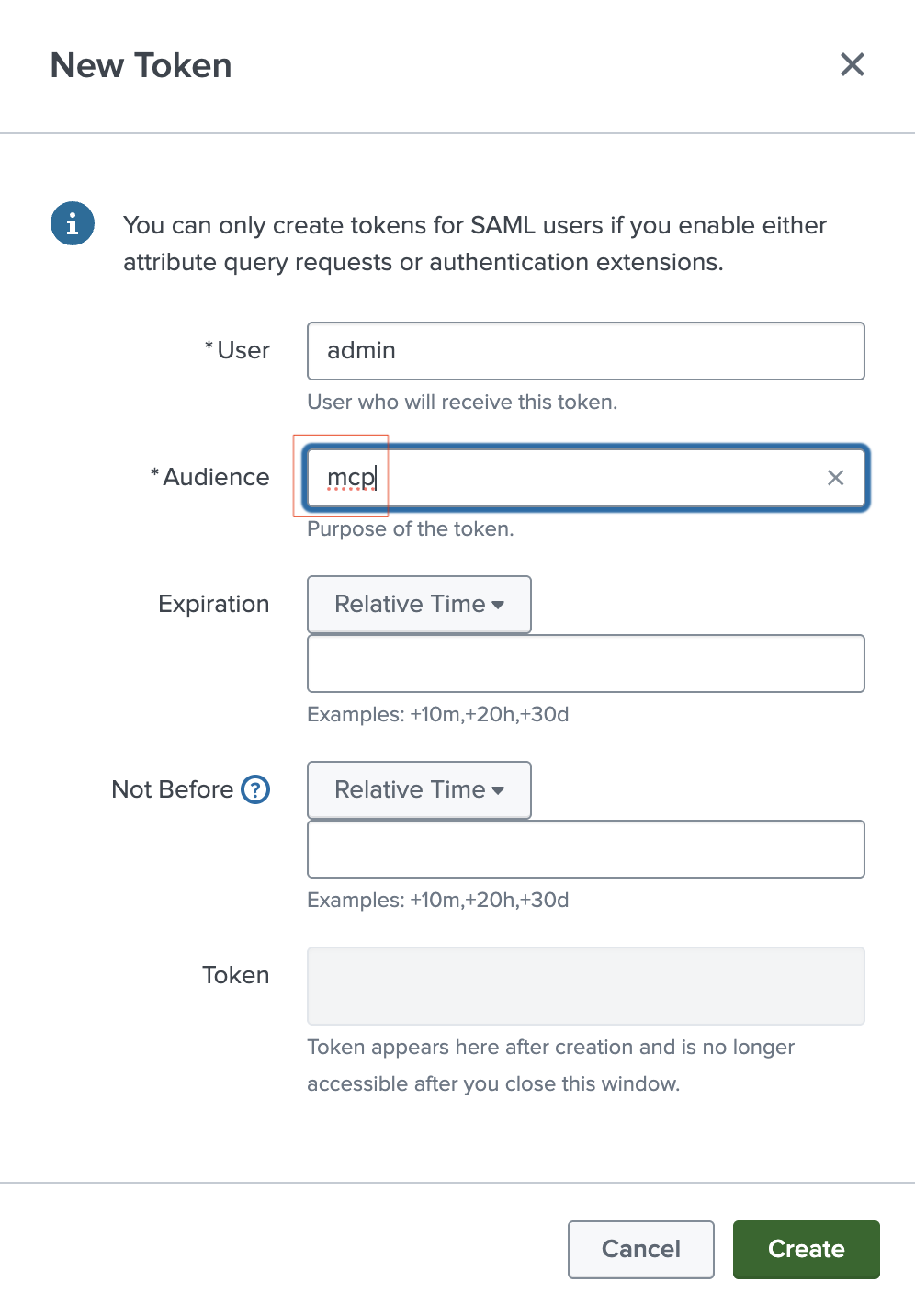
Enter the token details:
- User: the Splunk user the token acts as. This user’s roles determine what NeuBird can search, so pick one that holds the permissions listed in Required Permissions.
- Audience: a label describing what the token is for, for example
mcp. - Expiration: set a relative time such as
+90d, or leave it empty for the instance default. NeuBird cannot refresh this token, so when it expires you need to create a new one and update the connection.
Click Create.
-
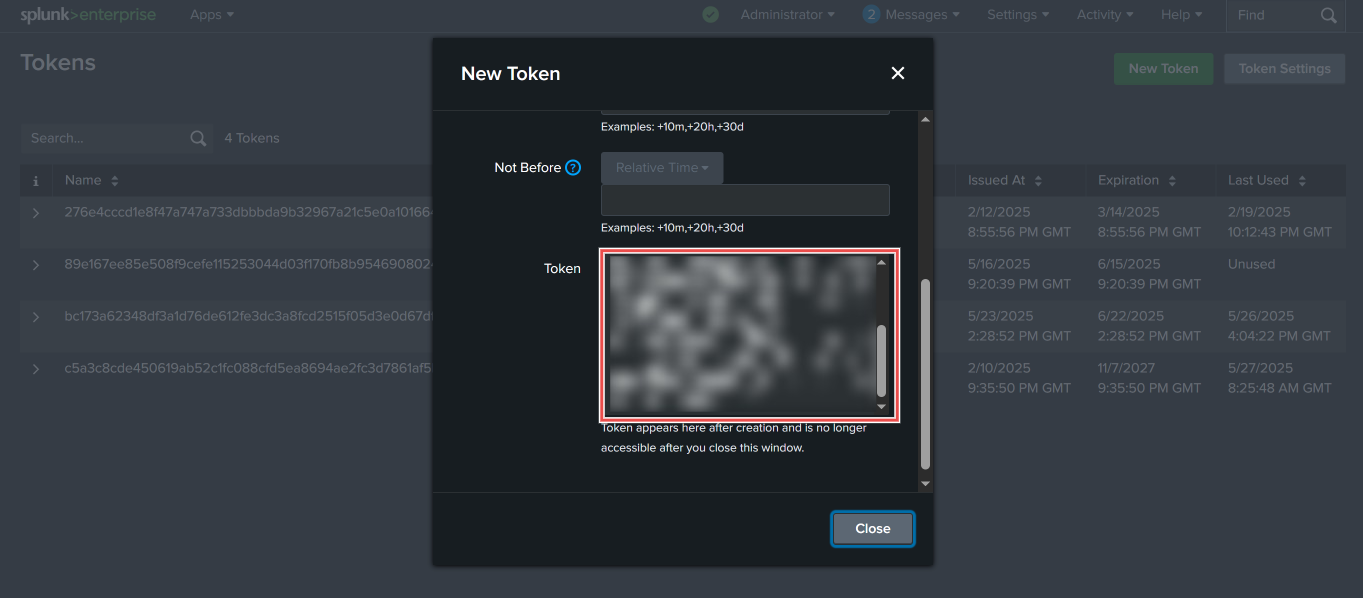
Copy the token: The token value appears in the Token field. Copy it now and store it securely.
Required Permissions
Section titled “Required Permissions”The token inherits the roles of the user you selected, and that user needs all of the following. Review the role under Settings > Roles before creating the token.
| Permission | Why it is needed |
|---|---|
search capability | Runs the searches NeuBird issues during an investigation |
Read on /services/data/indexes | Lists the indexes available to query |
| Saved-search visibility | Reads the saved searches and reports NeuBird references |
Read on the _audit index | Reads Splunk’s internal audit events |
Find the Endpoint URL
Section titled “Find the Endpoint URL”NeuBird connects to the Splunk management endpoint, not the web UI address you use in a browser:
https://<your-splunk-host>:8089/services/mcp- Use port
8089. The web UI URL (port8000, or thehttps://<instance>/app/launcher/homeaddress) will not work. - On Splunk Cloud, the host is your stack address, for example
https://acme.splunkcloud.com:8089/services/mcp. - On Splunk Enterprise, use the hostname of the search head that serves the management port.
NeuBird authenticates with the header Authorization: Bearer <token>. The older Splunk <token> header form is rejected on this path, so a token that works with a script using that prefix still needs to be a standard authentication token here.
Connection Fields
Section titled “Connection Fields”| Field | Required | Description |
|---|---|---|
| Name | Yes | A descriptive name for the Splunk connection |
| Description | No | A brief description of this integration |
| Splunk URL | Yes | The management endpoint of your Splunk instance (e.g., https://acme.splunkcloud.com:8089/services/mcp) |
| API Key | Yes | The authentication token created in the steps above |
| Index | No | The Splunk index NeuBird should query. Leave empty to search the indexes the token’s roles can access |
For general instructions on creating and managing connections, see the Connections Overview.