

ClickHouse
Connecting NeuBird to ClickHouse lets investigations query your ClickHouse service directly, so metrics you already store there become available as evidence.
Prerequisites
Section titled “Prerequisites”NeuBird connects over the ClickHouse HTTPS interface using a database username and password.
ClickHouse Cloud organization API keys — the Key ID and Key Secret pair created under Organization → API Keys — authenticate only to the Cloud management API. They cannot be used for this connection.
Getting Your Credentials
Section titled “Getting Your Credentials”ClickHouse Cloud
Section titled “ClickHouse Cloud”-
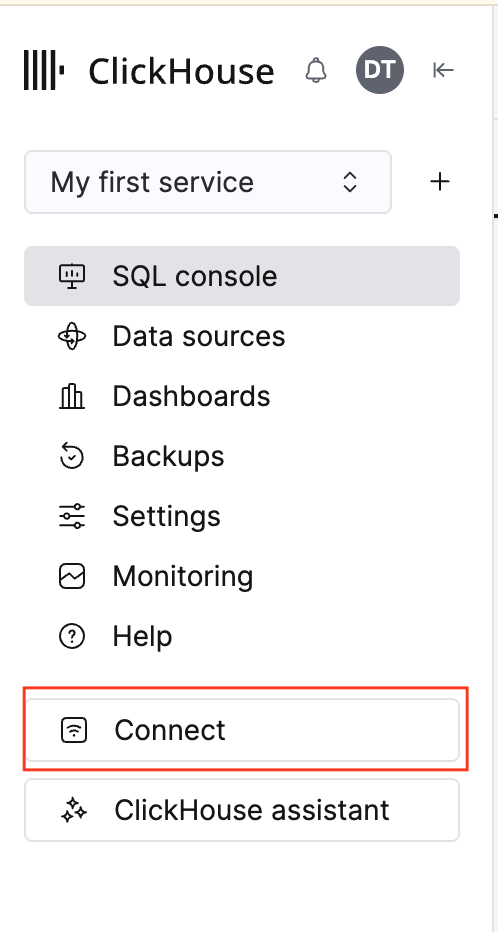
Open your service in the ClickHouse Cloud console and click Connect in the left sidebar.
-
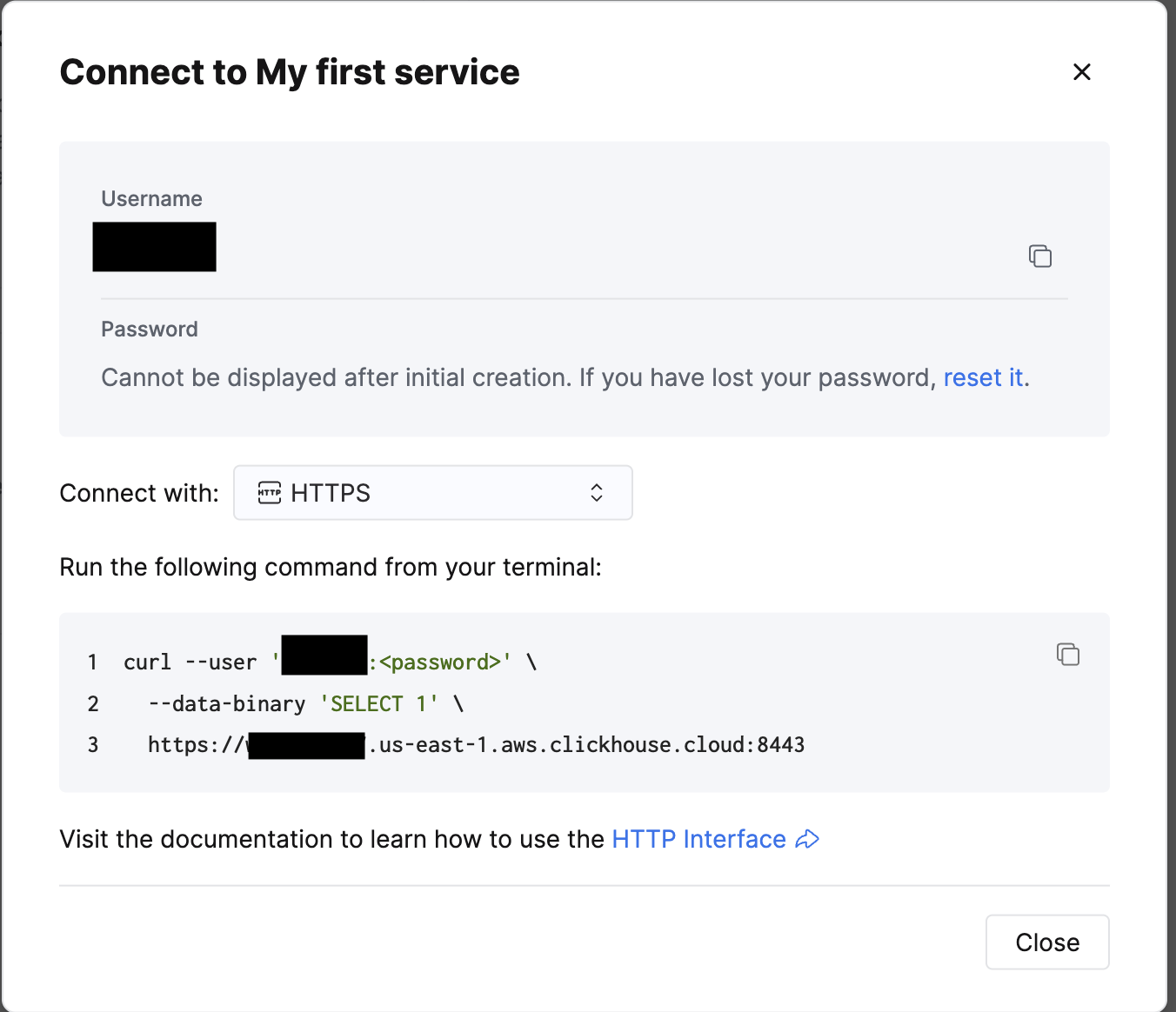
Set Connect with to HTTPS.
-
Copy the endpoint from the last line of the sample command — the
https://…:8443URL, for examplehttps://<your-service>.us-east-1.aws.clickhouse.cloud:8443. Include thehttps://scheme and the:8443port. -
Copy the Username. This is
defaultunless you created another database user. -
The Password is shown only when the service is first created. If you no longer have it, use reset it in the same dialog, or create a dedicated read-only user with SQL and use those credentials instead.
If your service has an IP Access List (Settings → Security), add your NeuBird deployment’s egress IP to it. Otherwise the connection times out or is reset before authentication is attempted.
Self-hosted ClickHouse
Section titled “Self-hosted ClickHouse”Use the endpoint form that matches how your server is exposed:
| Endpoint | Protocol |
|---|---|
https://clickhouse.example.com:8443 | HTTP interface over TLS |
http://clickhouse.example.com:8123 | HTTP interface, no TLS |
clickhouse.example.com:9000 | Native protocol, no TLS |
The scheme selects the protocol and decides whether TLS is negotiated. A value with no scheme is dialed as plaintext native, so always include https:// for a TLS-terminating server.
If your server presents a certificate from a private CA, append ?skip_verify=true to the endpoint to skip certificate verification.
Connection Fields
Section titled “Connection Fields”| Field | Required | Description |
|---|---|---|
| Name | Yes | A descriptive name for this connection |
| Description | No | Optional note about what this connection is for |
| Endpoint URL | Yes | The ClickHouse endpoint, including scheme and port (e.g. https://host:8443) |
| Username | Yes | The ClickHouse database user, e.g. default |
| Password | Yes | The password for that database user |
For general instructions on creating and managing connections, see the Connections Overview.