



Azure DevOps
Connect Azure DevOps to collect telemetry data such as build logs, pipelines, repositories, and deployment details.
Step 1: Create a Service Principal
Section titled “Step 1: Create a Service Principal”To set up an Azure DevOps integration, you first need to create a service principal. Follow the first and second steps in the Azure connection guide to create one.
Step 2: Grant the Service Principal Access to Azure DevOps
Section titled “Step 2: Grant the Service Principal Access to Azure DevOps”After creating the service principal, grant it access to your Azure DevOps organization.
-
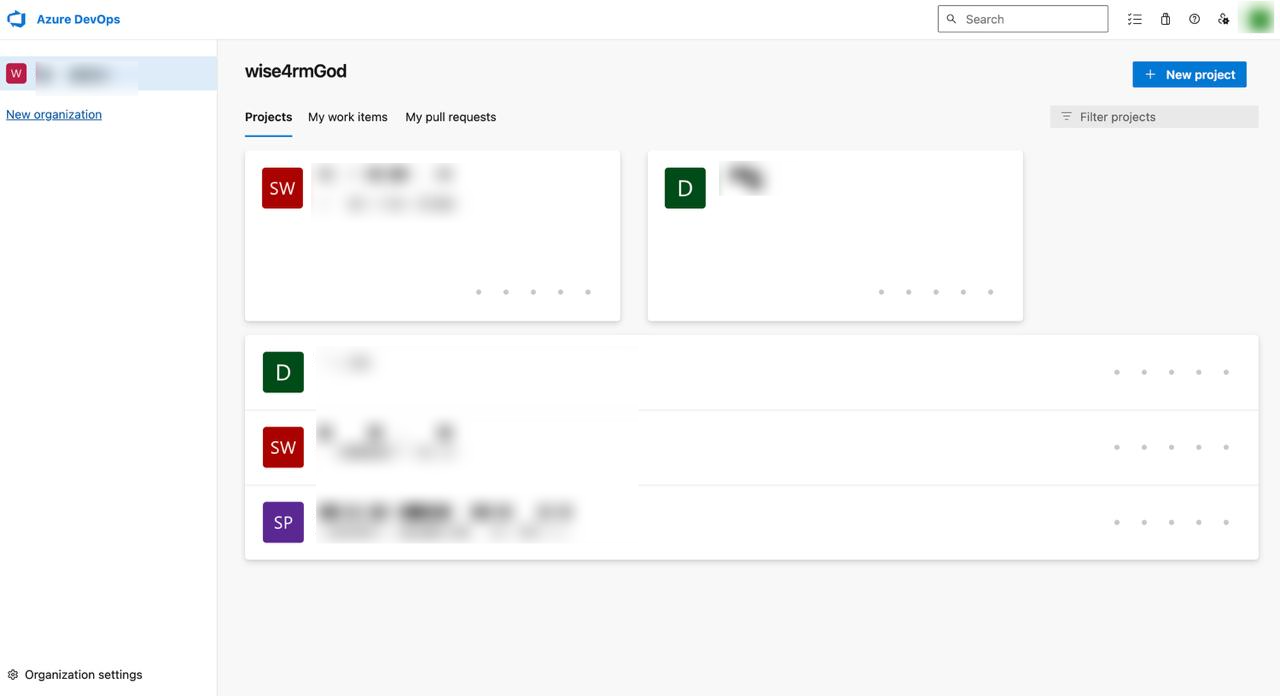
Navigate to Azure DevOps Organization: Log in to your Azure DevOps account and navigate to the organization where you want to grant access.
-
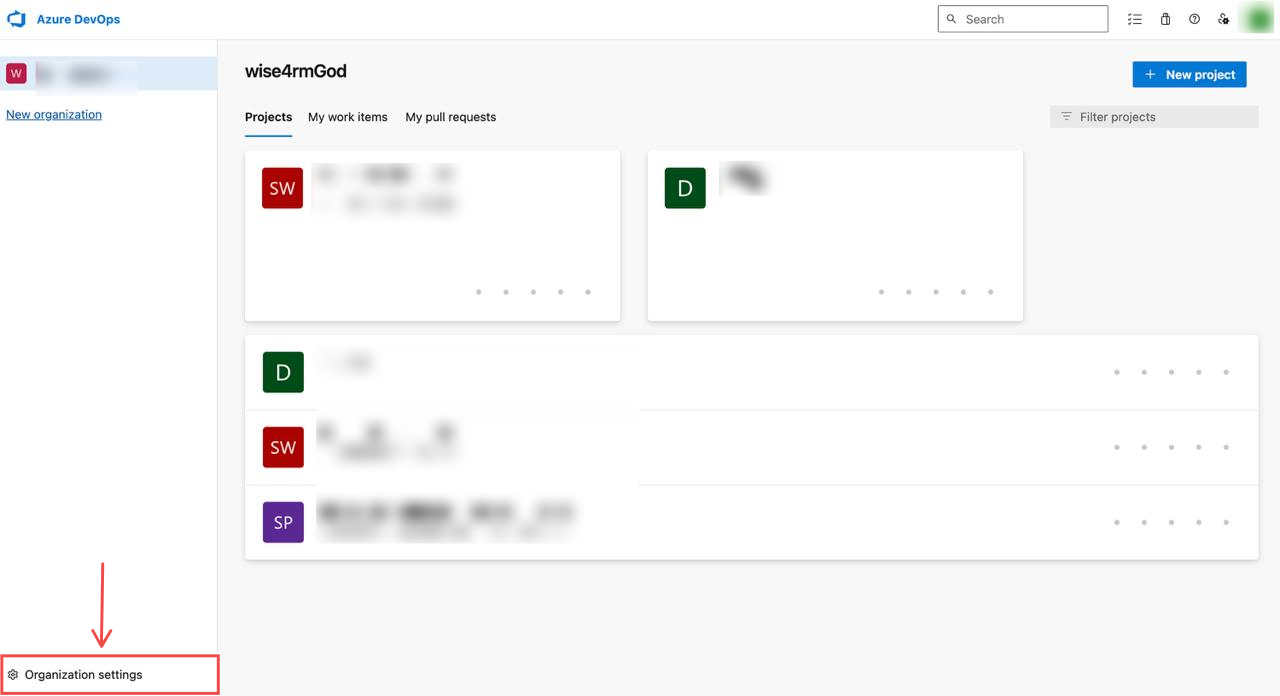
Go to Organization Settings: In the lower left corner, select Organization Settings.
-
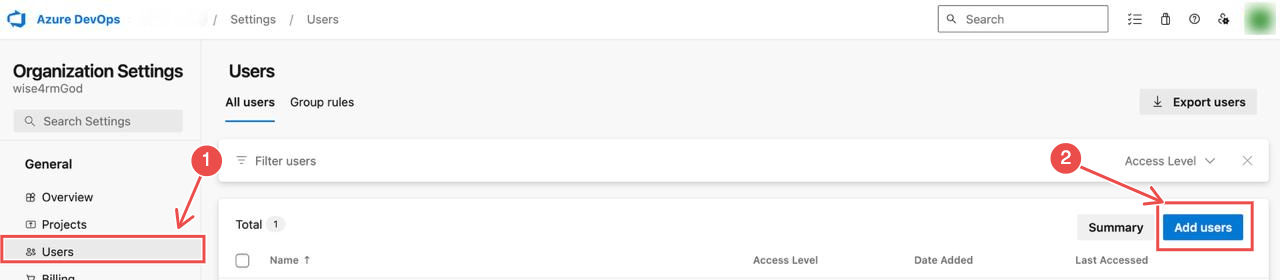
Add Service Principal to Users: In the left sidebar, click Users and then select Add Users.
-
Grant Access to Projects: Add the Service Principal to the specific projects you want NeuBird to access. This ensures NeuBird can retrieve the necessary telemetry.
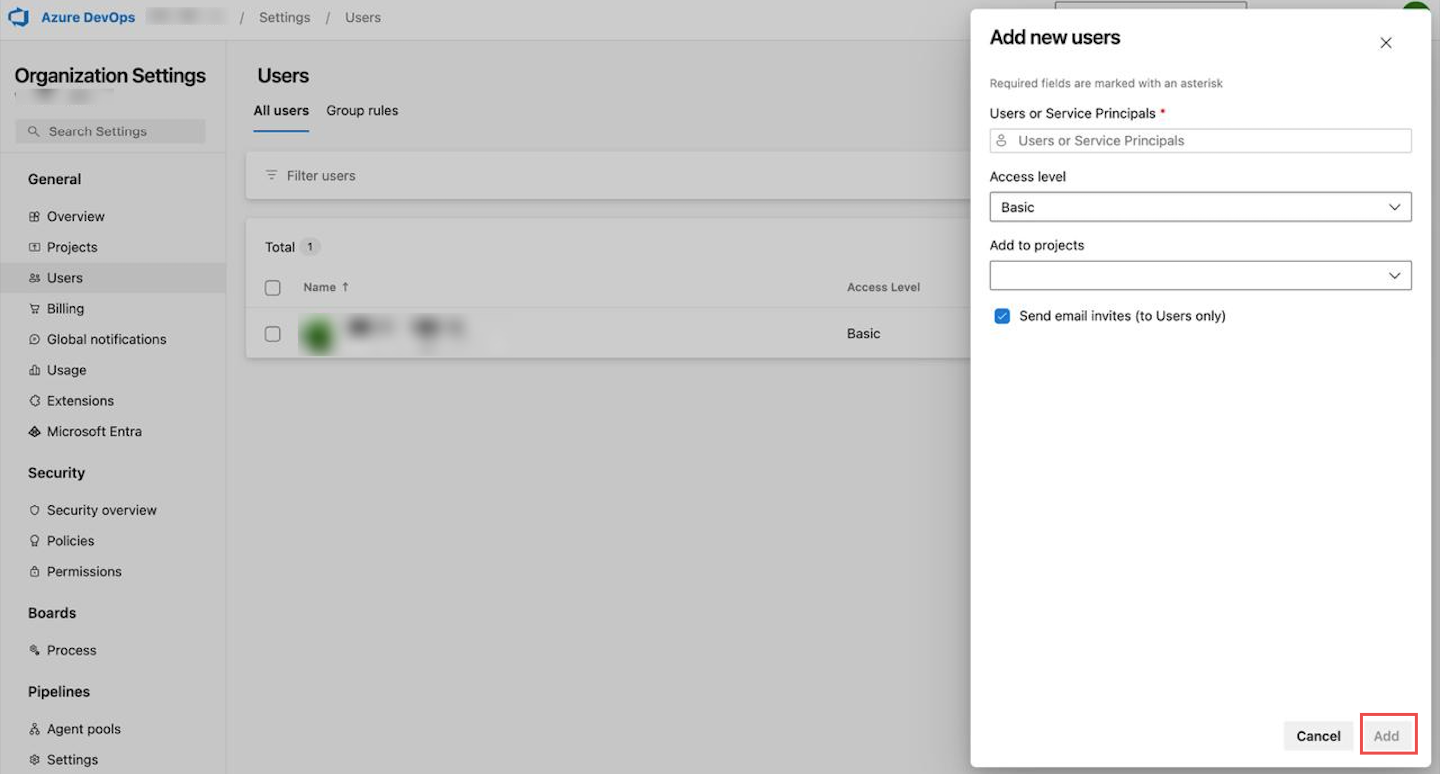
After adding these details, click the Add button.
Connection Fields
Section titled “Connection Fields”| Field | Required | Description |
|---|---|---|
| Name | Yes | A display name for this connection |
| Description | No | Optional description of the integration |
| Tenant ID | Yes | Your Azure tenant ID |
| Client ID | Yes | The client ID from your registered application (service principal) |
| Client Secret | Yes | The client secret you created for the service principal |
| Organization URL | Yes | The URL of your Azure DevOps organization, typically https://dev.azure.com/your-org-name |
For general instructions on creating and managing connections, see the Connections Overview.