



Datadog
Connecting NeuBird to your Datadog account enables collection of metrics, traces, logs, and alerts telemetry for real-time monitoring through the NeuBird dashboard.
Authentication Options
Section titled “Authentication Options”NeuBird offers two ways to authenticate. Pick one; you do not need both.
- OAuth — you authorize NeuBird from your Datadog account in the browser. Nothing to copy, and no long-lived keys to rotate. Recommended.
- API Key + Application Key — you create both keys in Datadog and paste them into NeuBird.
Both need your Endpoint URL, which is the Datadog site your organization runs on.
Your Datadog Site
Section titled “Your Datadog Site”Datadog runs separate sites per region, and the endpoint differs for each. Use the one matching the URL you sign in to:
| You sign in at | Endpoint |
|---|---|
app.datadoghq.com | https://api.datadoghq.com |
us3.datadoghq.com | https://api.us3.datadoghq.com |
us5.datadoghq.com | https://api.us5.datadoghq.com |
app.datadoghq.eu | https://api.datadoghq.eu |
ap1.datadoghq.com | https://api.ap1.datadoghq.com |
ap2.datadoghq.com | https://api.ap2.datadoghq.com |
app.ddog-gov.com | https://api.ddog-gov.com |
NeuBird accepts either form — with or without the api. prefix — and normalizes it. Any other host is rejected.
OAuth Setup
Section titled “OAuth Setup”- In NeuBird, go to Settings > Connections and click Add Connection, then select Datadog.
- Choose the OAuth tab.
- Enter your Endpoint from the table above.
- Click Save. NeuBird opens Datadog in the browser; sign in and approve the requested access. Datadog returns you to NeuBird and the connection is created.
If you would rather use static keys, continue below.
Getting Your Credentials (API Key + Application Key)
Section titled “Getting Your Credentials (API Key + Application Key)”You need an API Key and an Application Key with the right scopes.
API Key
Section titled “API Key”-
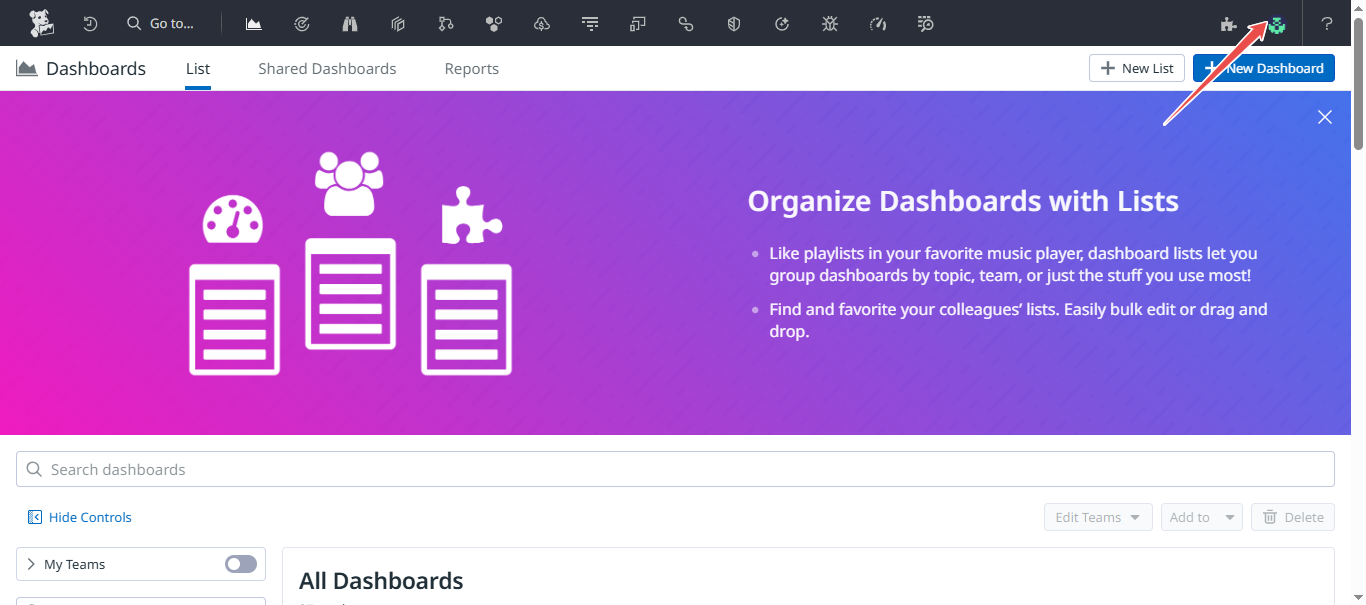
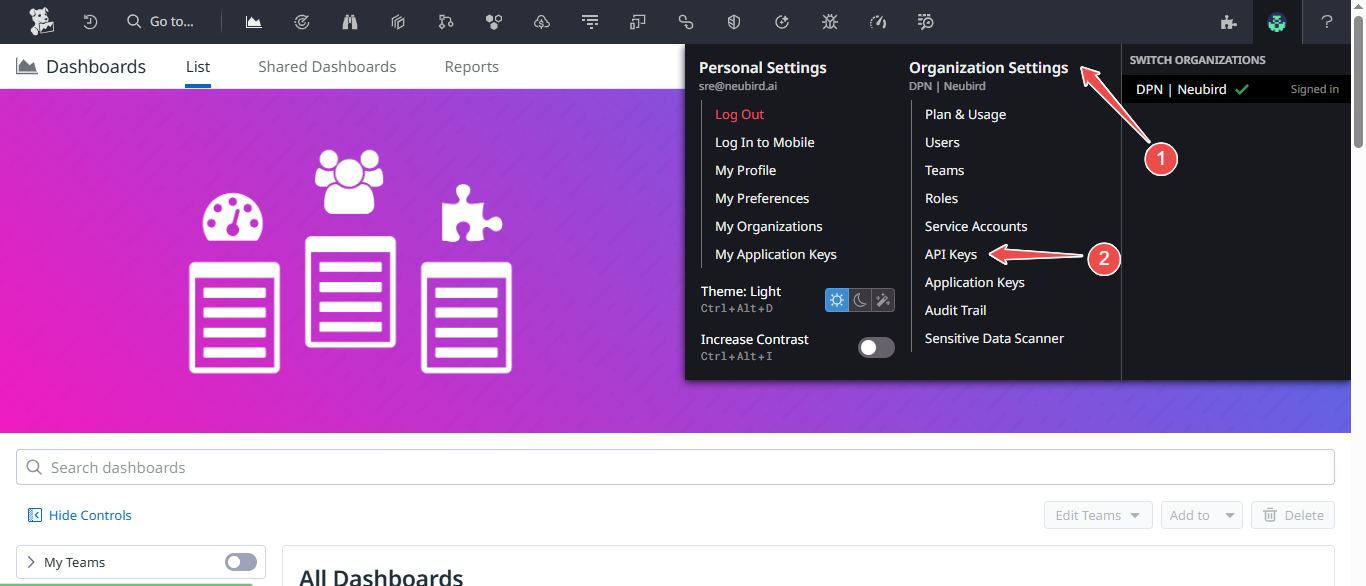
In Datadog, click your profile and go to Organization Settings > API Keys.
-
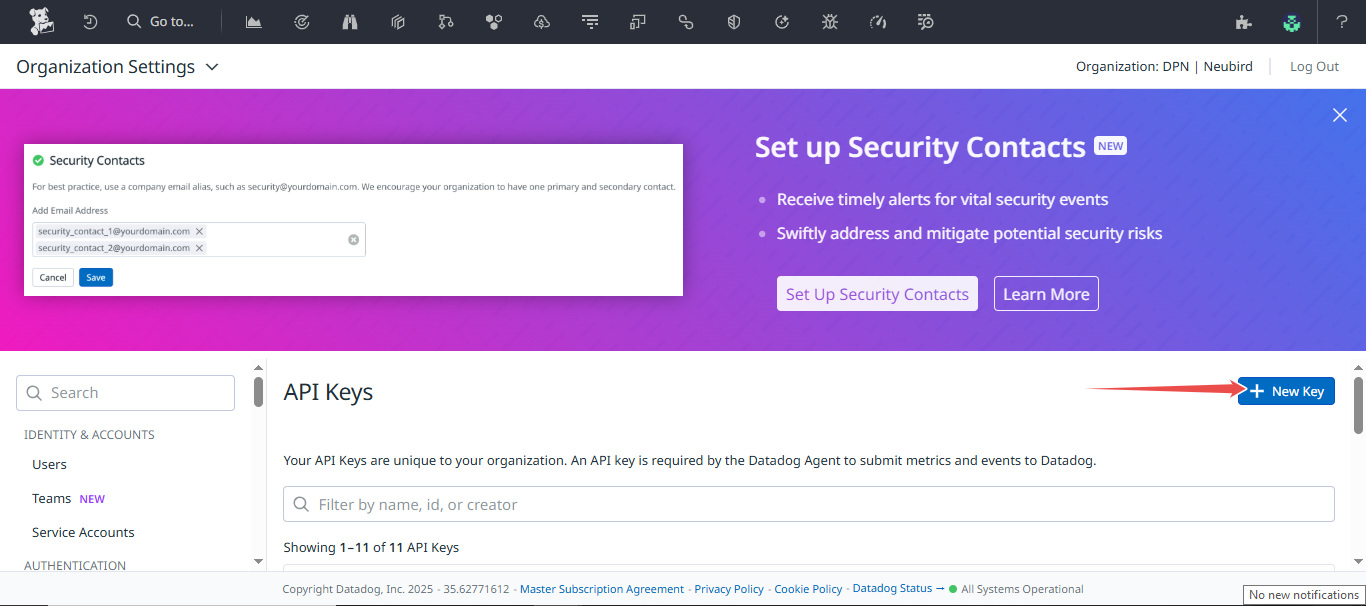
Click New Key at the top right.
-
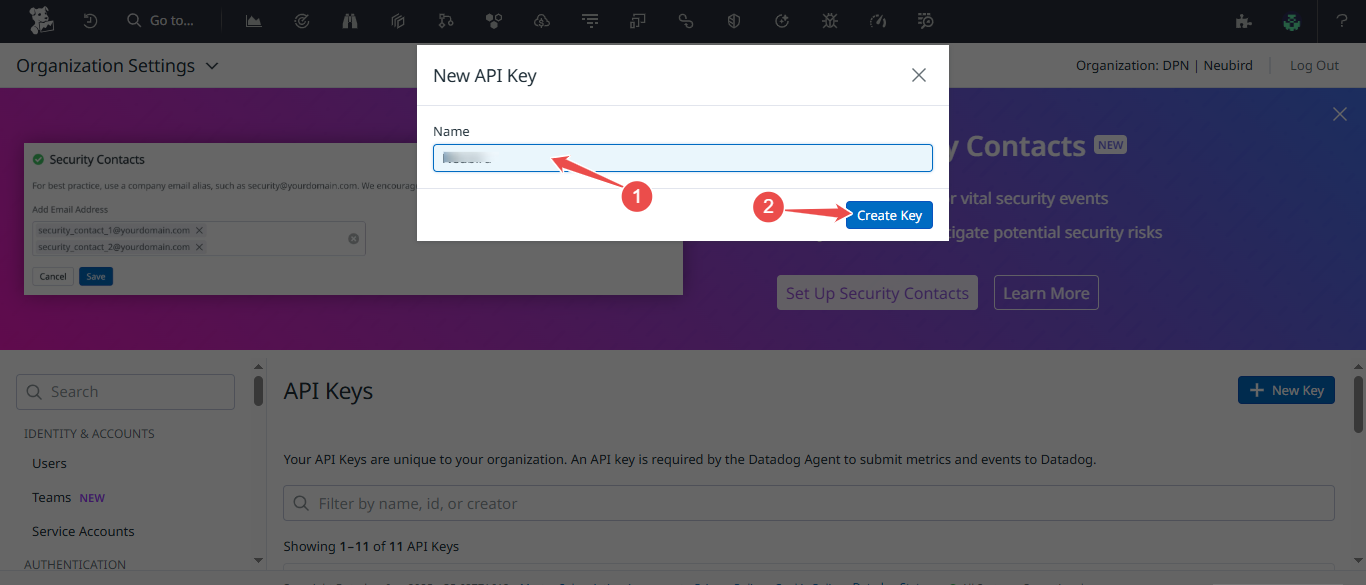
Enter a name (e.g. “NeuBird”) and click Create.
-
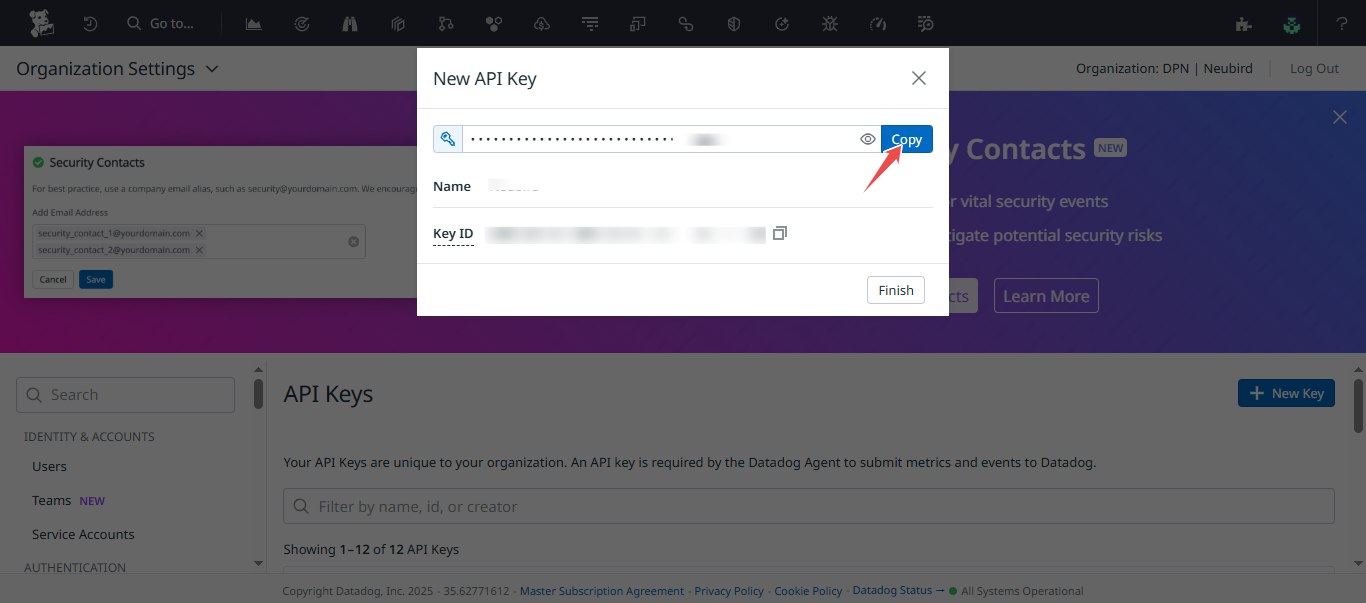
Copy the key.
Application Key
Section titled “Application Key”-
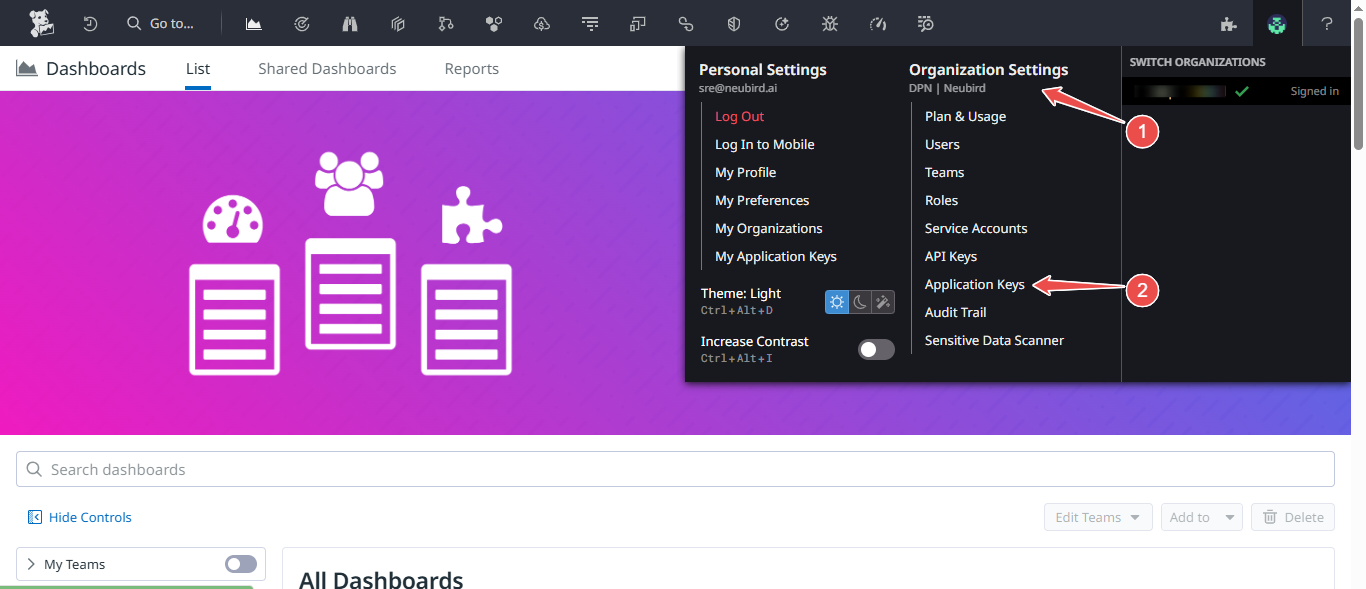
Go to Organization Settings > Application Keys.
-
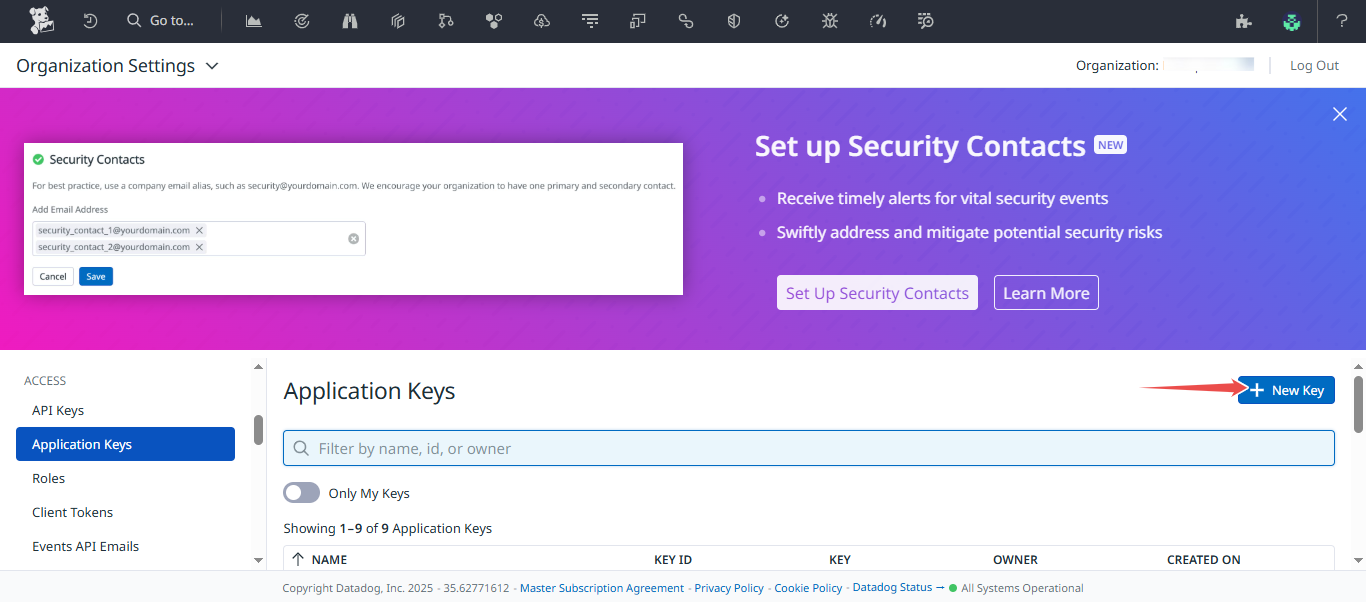
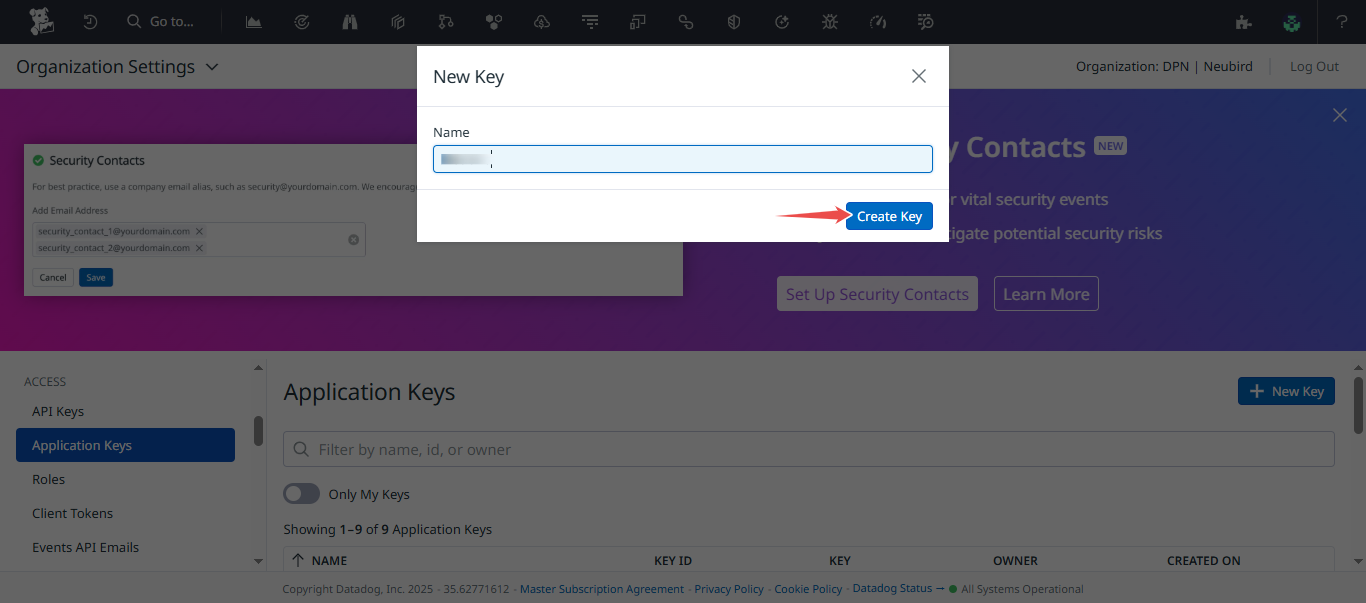
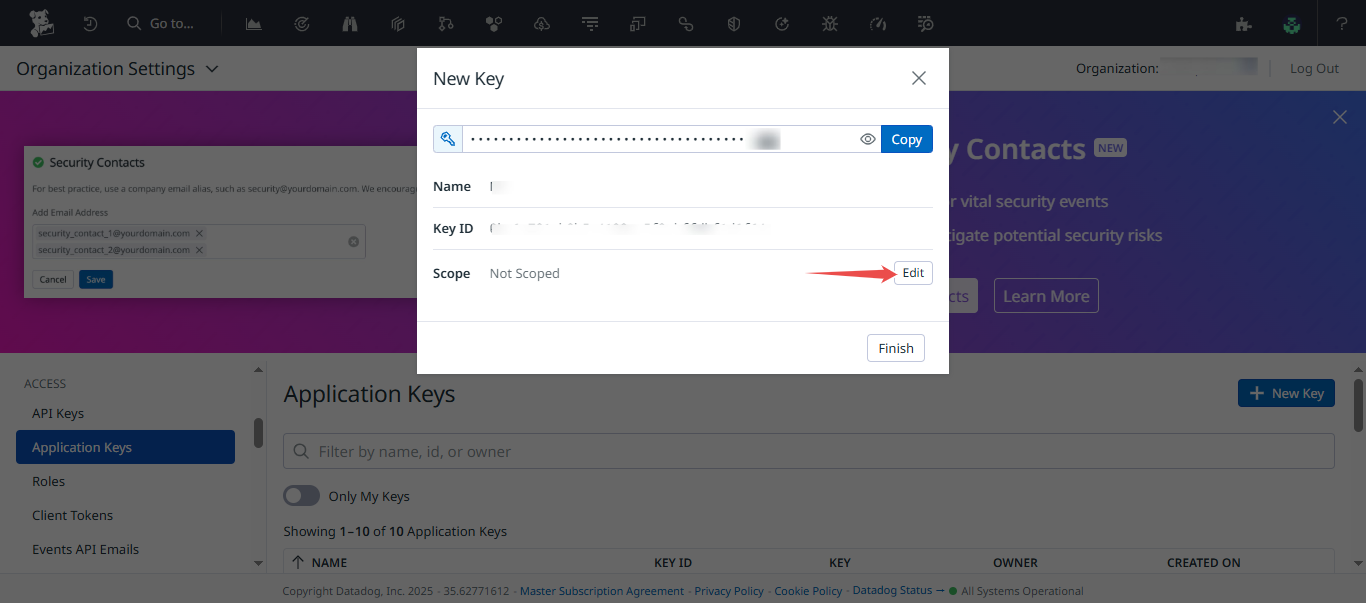
Click New Key, enter a name, and click Create.
-
Click Edit on the new key to configure permissions.
-
Enable the following scopes and click Save:
Scope Purpose apm_readAPM trace data events_readEvent stream metrics_readMetric metadata timeseries_queryMetric time series monitors_readMonitor/alert definitions logs_read_dataLog data logs_read_index_dataLog index data logs_read_workspacesLog workspaces logs_read_configLog configuration dashboards_readDashboard definitions hosts_readHost metadata 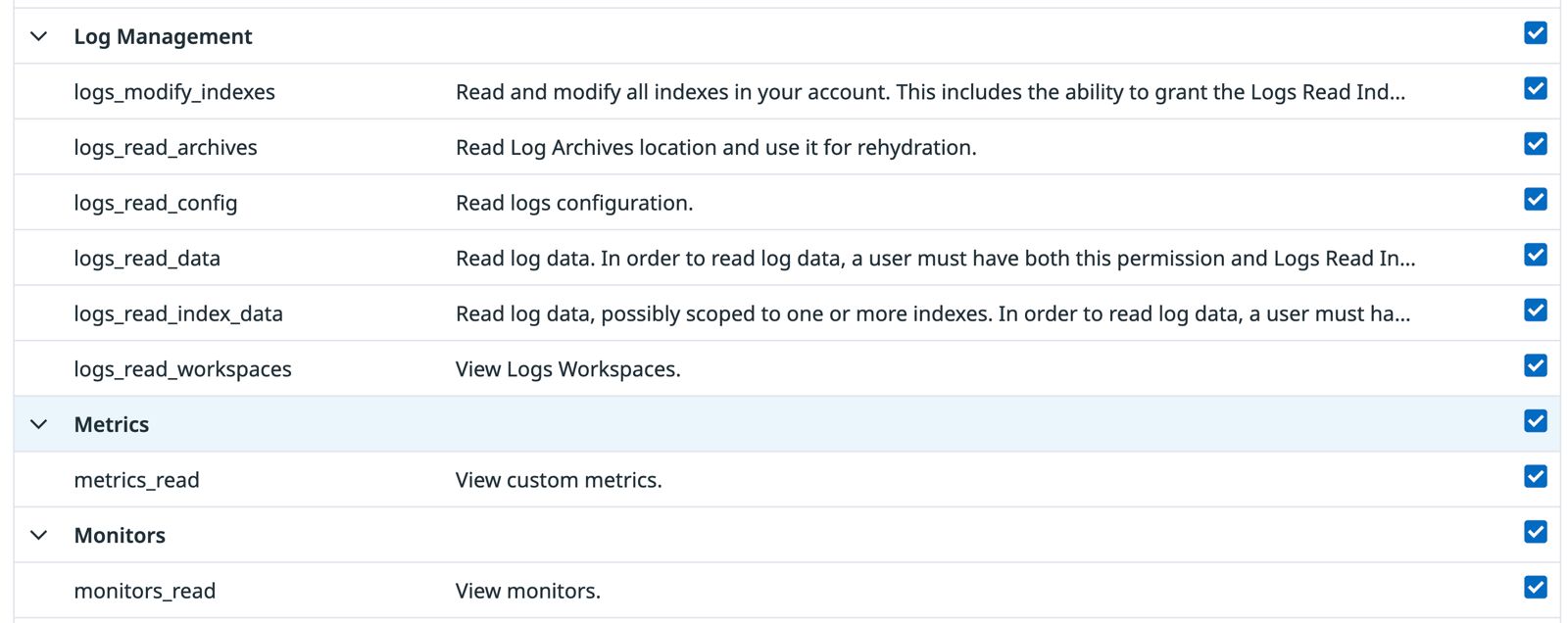
-
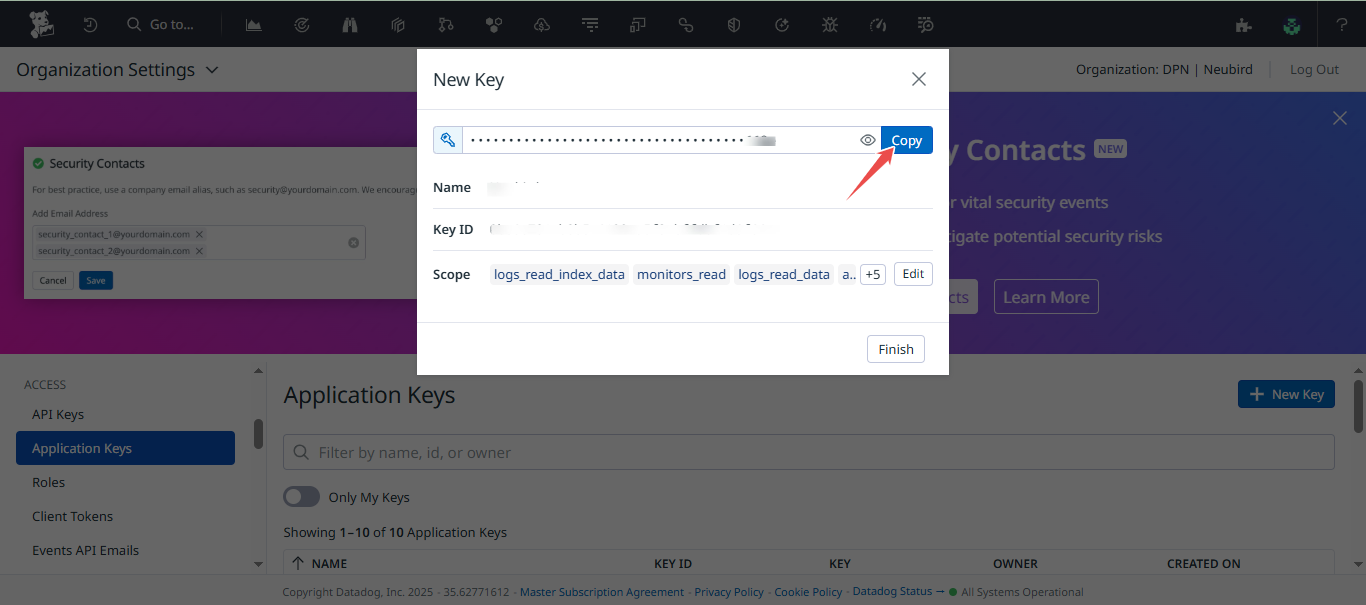
Copy the Application Key.
Endpoint
Section titled “Endpoint”Copy your Datadog site URL from your browser address bar — e.g. datadoghq.com, us5.datadoghq.com, or datadoghq.eu.
Connection Fields
Section titled “Connection Fields”| Field | Required | Description |
|---|---|---|
| Name | Yes | A descriptive name for this connection |
| Description | No | Optional note about what this connection is for |
| API Key | Yes | The API Key from your Datadog account |
| APP ID | Yes | The Application Key you generated |
| Endpoint | Yes | Your Datadog site URL (e.g. datadoghq.com) |
For general instructions on creating and managing connections, see the Connections Overview.