

Cribl
Connecting NeuBird to Cribl enables querying the data sources available in your Cribl environment. Cribl is a data engine for IT and security telemetry: Cribl Stream routes and shapes data in motion, Cribl Lake stores it long term, and Cribl Search queries data in place across lakes, object stores, and API endpoints — without moving or rehydrating it first. With this connection, NeuBird can run Cribl Search queries against those data sources during investigations.
NeuBird authenticates to Cribl.Cloud using OAuth client credentials (a Client ID and Client Secret), which you create in your Cribl organization.
Step 1: Create an API Credential in Cribl
Section titled “Step 1: Create an API Credential in Cribl”-
Log in to Cribl: Access Cribl.Cloud and log in with your credentials.
-
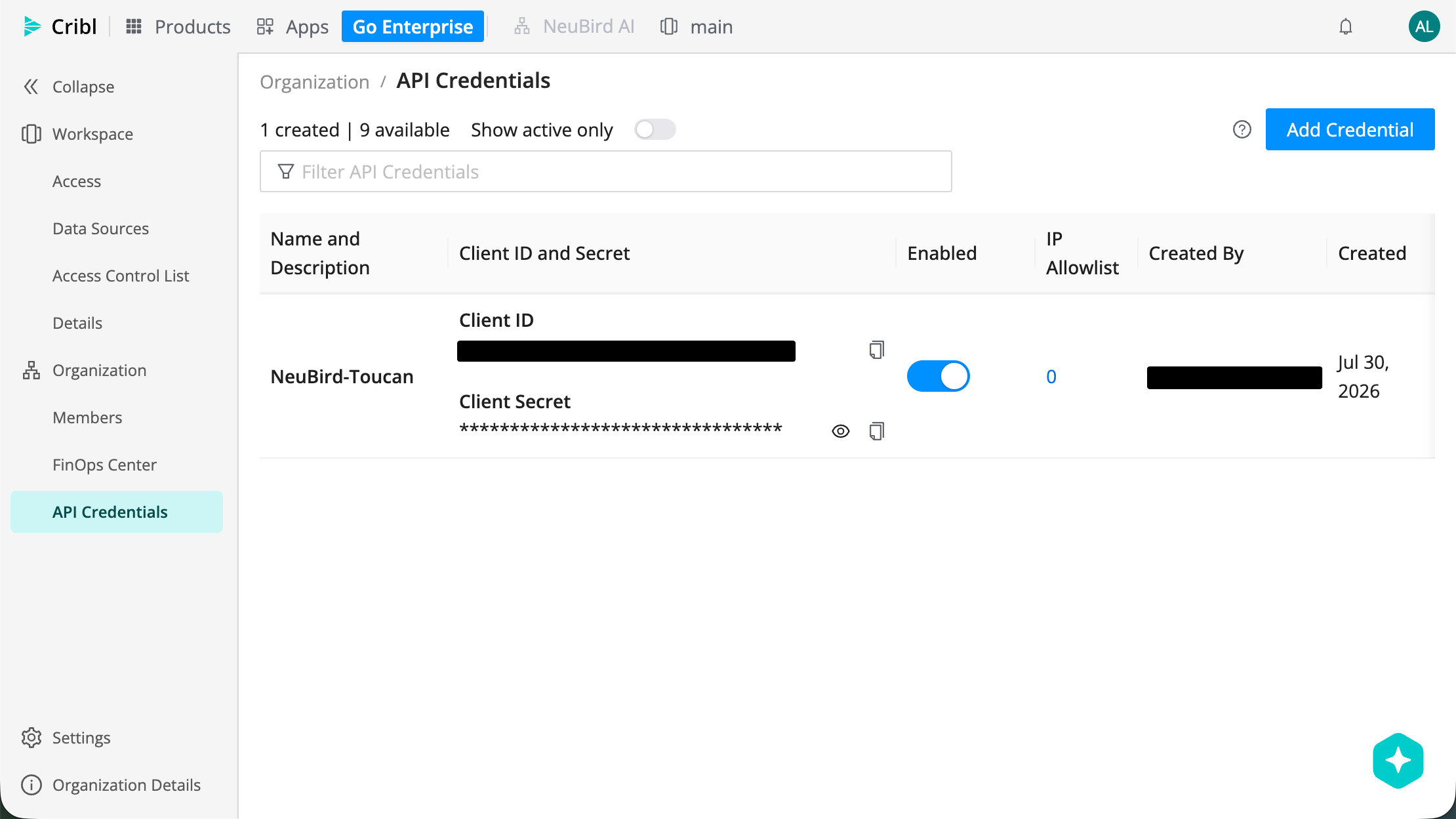
Navigate to API Credentials: In the top bar, go to Products > Cribl. Then, in the sidebar, select Organization > API Credentials.
-
Click Add Credential: At the top-right corner of the API Credentials page, click Add Credential.
-
Name and save the credential: Provide a name for the API credential (for example,
NeuBird) and click Save. -
Copy the Client ID and Client Secret: The new credential appears in the list with the Client ID and Client Secret that NeuBird needs. Copy both and store them securely.
Step 2: Retrieve your Cribl.Cloud URL
Section titled “Step 2: Retrieve your Cribl.Cloud URL”NeuBird also needs your workspace’s Cribl.Cloud URL, which is used as the Base URL in the connection form.
-
In the top bar, go to Products > Cribl.
-
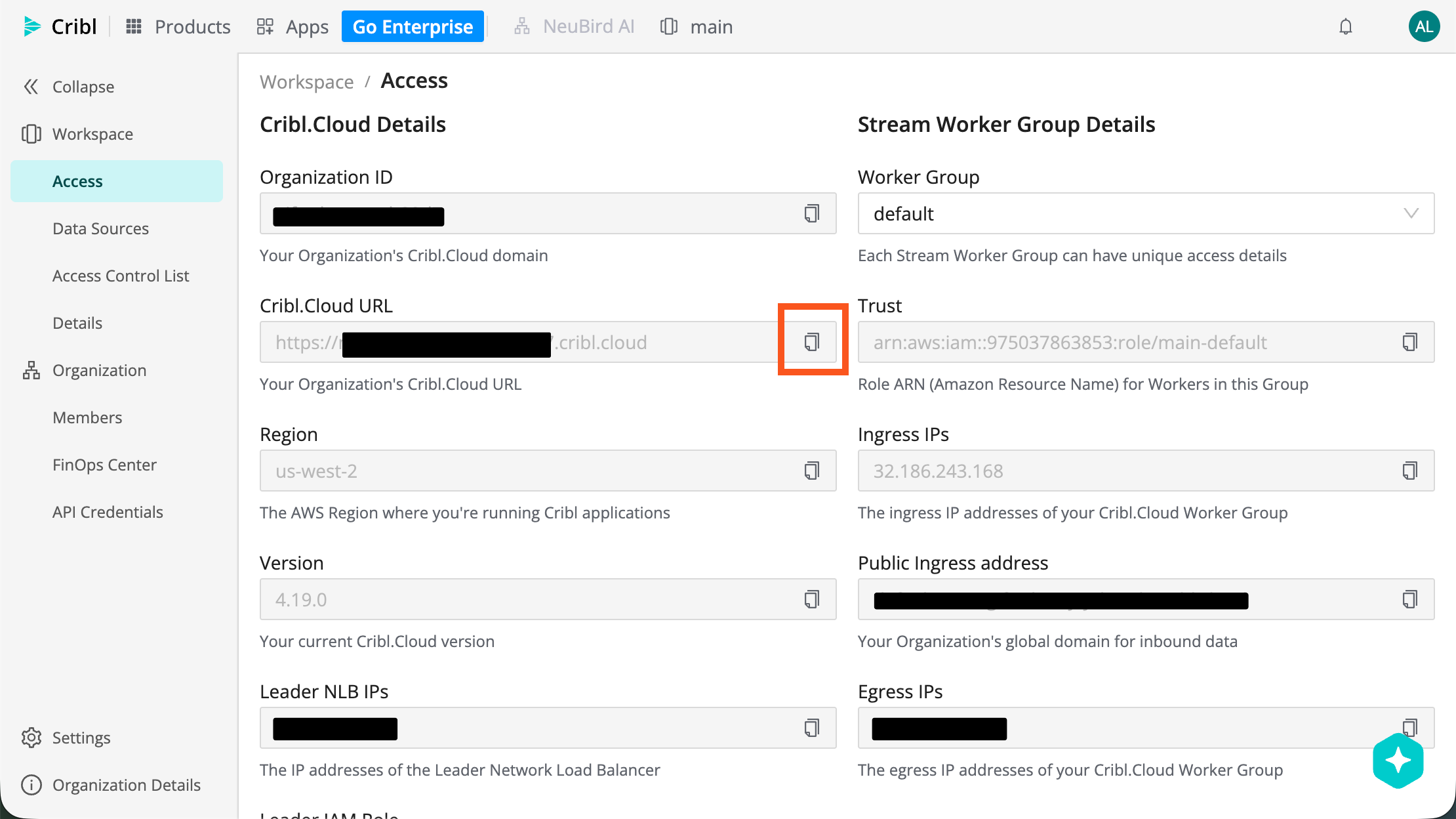
In the sidebar, select Workspace > Access.
-
Under Cribl.Cloud Details, copy the Cribl.Cloud URL value.
Connection Fields
Section titled “Connection Fields”In NeuBird, open the Connections tab and click Add connection. Select Cribl from the provider list, then enter the credentials you collected in the steps above and click Create Connection.
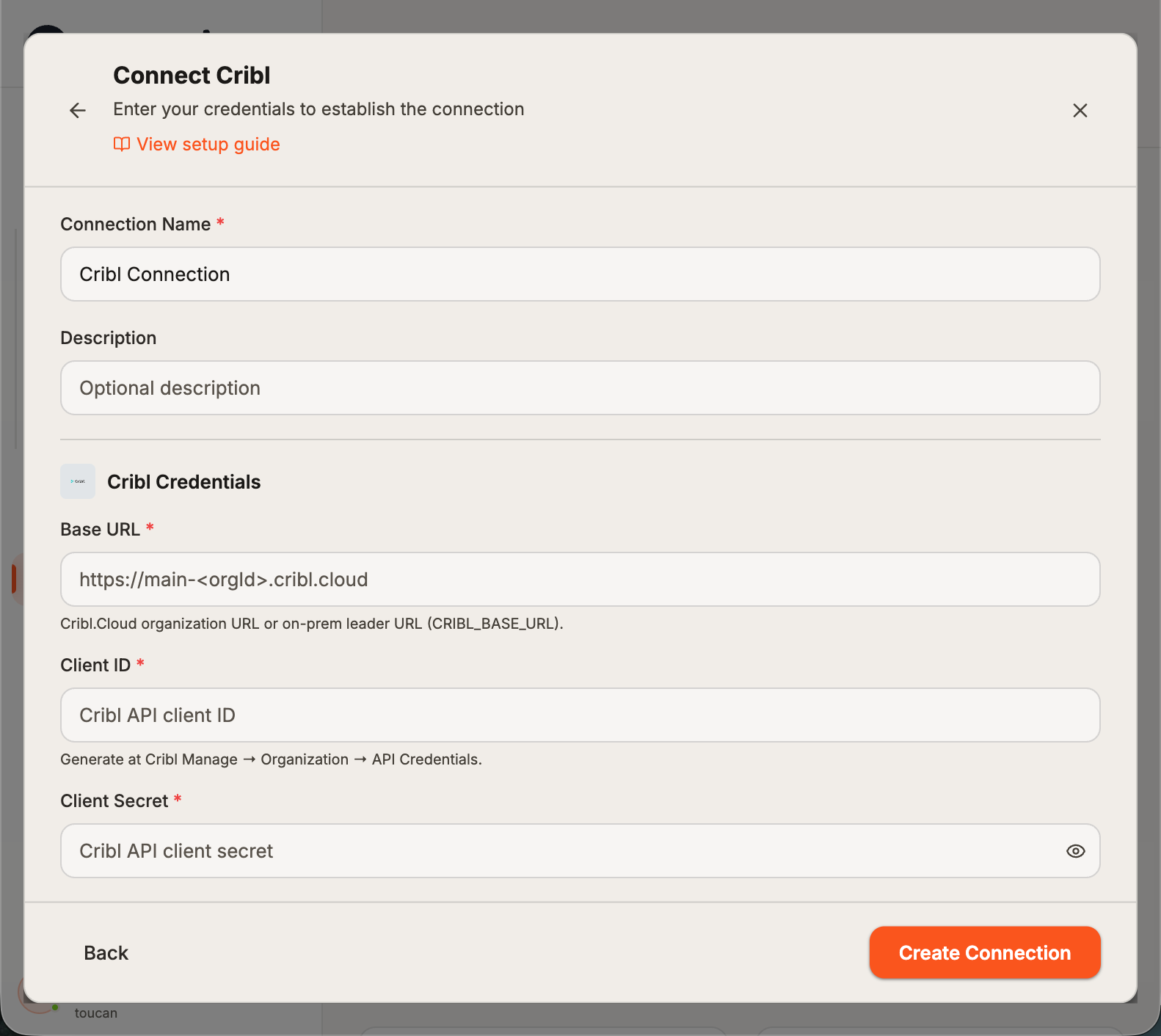
| Field | Required | Description |
|---|---|---|
| Name | Yes | A descriptive name for this connection |
| Description | No | Additional context about the integration |
| Base URL | Yes | The Cribl.Cloud URL copied from your workspace in Step 2 |
| Client ID | Yes | The Client ID from the API credential created in Step 1 |
| Client Secret | Yes | The Client Secret associated with the Client ID |
For general instructions on creating and managing connections, see the Connections Overview.