



Grafana
Connecting NeuBird to your Grafana account enables collection of application and infrastructure telemetry, including metrics, traces, and logs.
Note: When you add a Grafana connection, it automatically enables Loki support. NeuBird uses the configured Grafana authentication to communicate with Loki, so no additional Loki credentials are required.
Step 1: Generate a Service Account Token in Grafana
Section titled “Step 1: Generate a Service Account Token in Grafana”-
Log in to Grafana: Access your Grafana endpoint by logging in with your credentials.
-
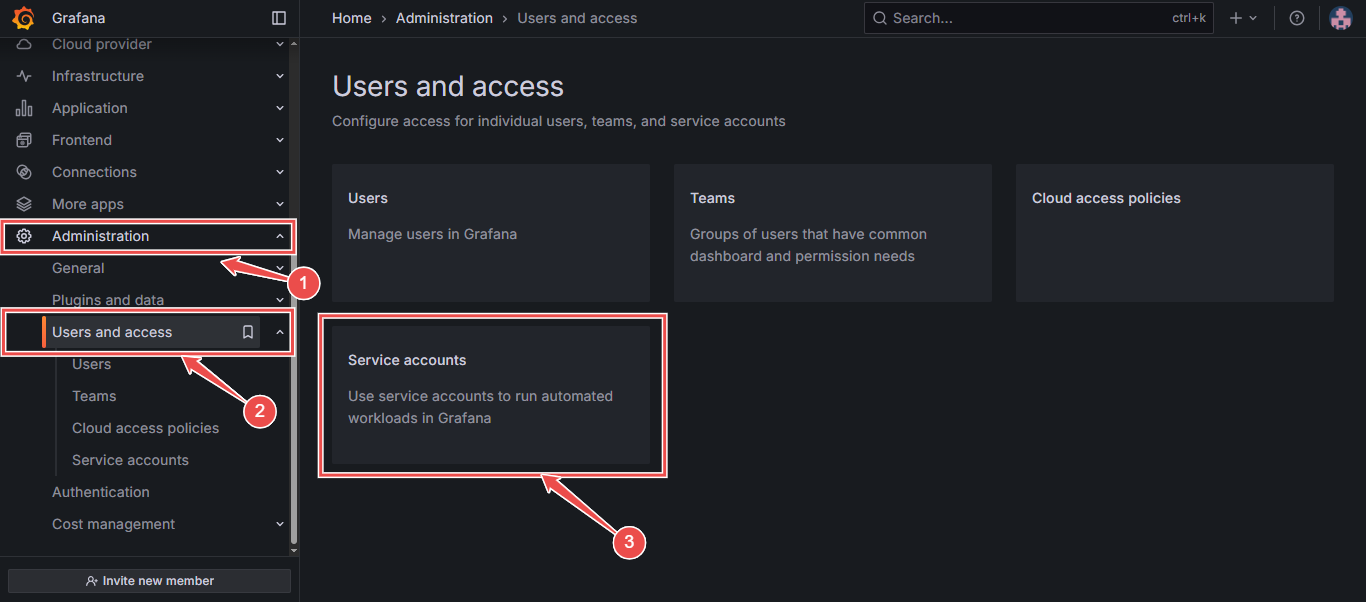
Navigate to Users and Access: On the sidebar menu, navigate to Users and access under the Administration tab, and click on Service account.
-
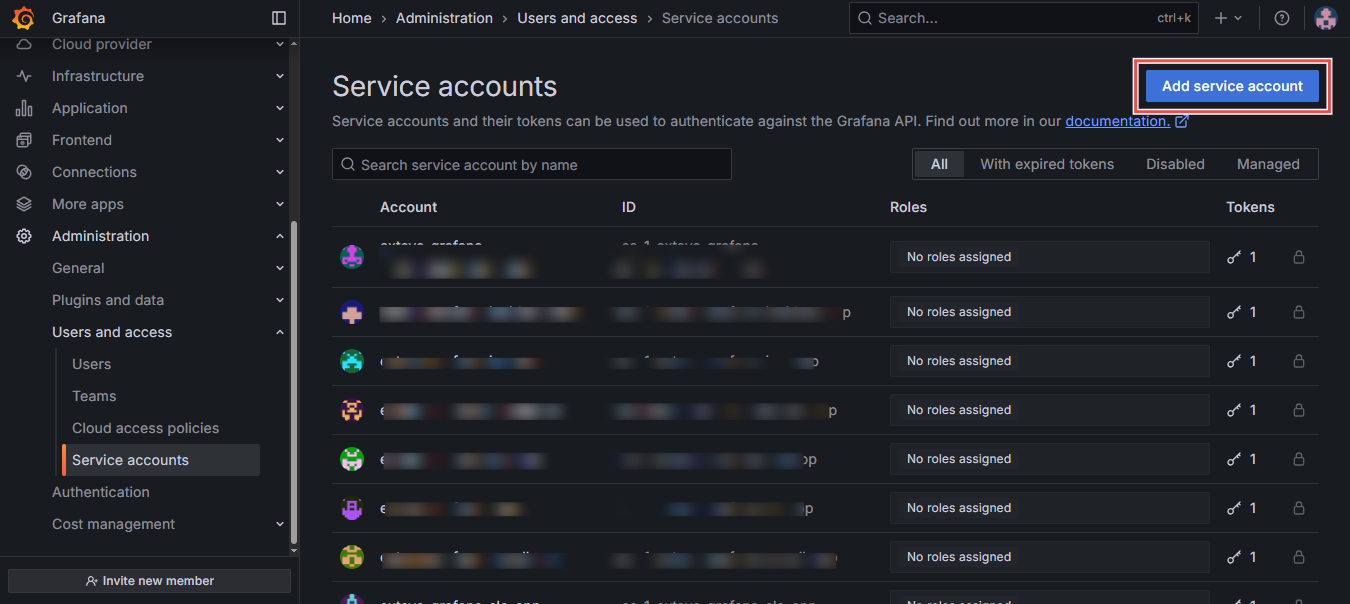
Click Add Service Account: At the top-right corner of the Service Accounts page, click on Add Service Accounts.
-
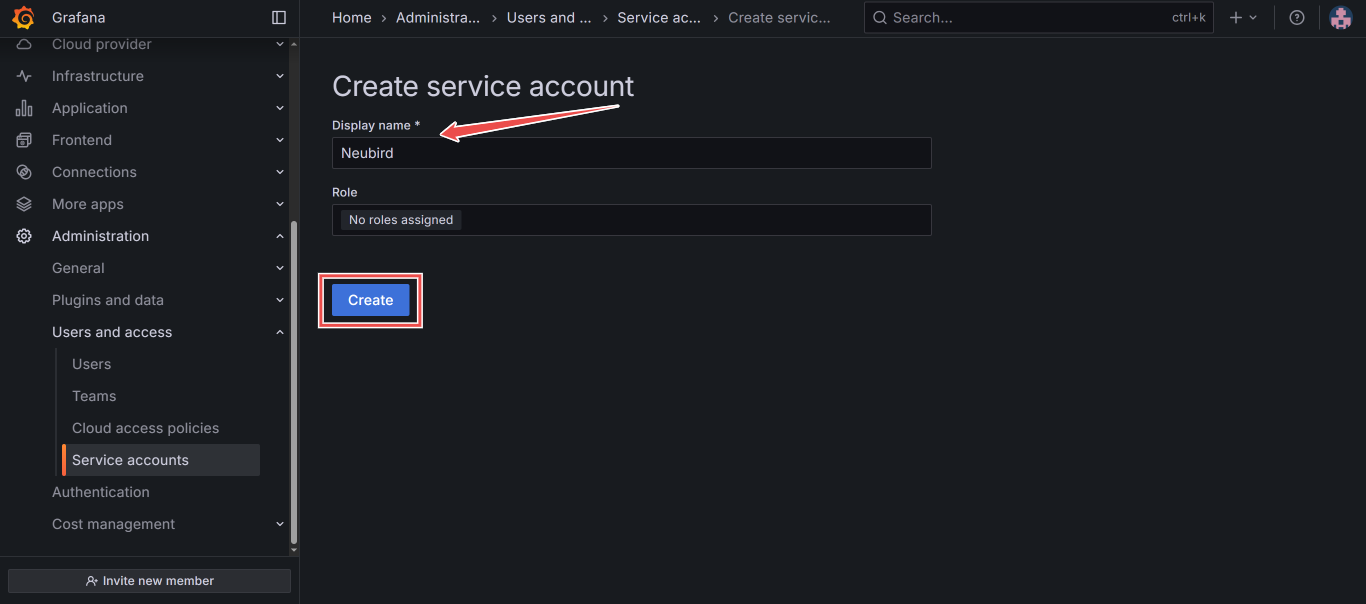
Enter a display name: In the input box provided, enter a display name and click Create.
-
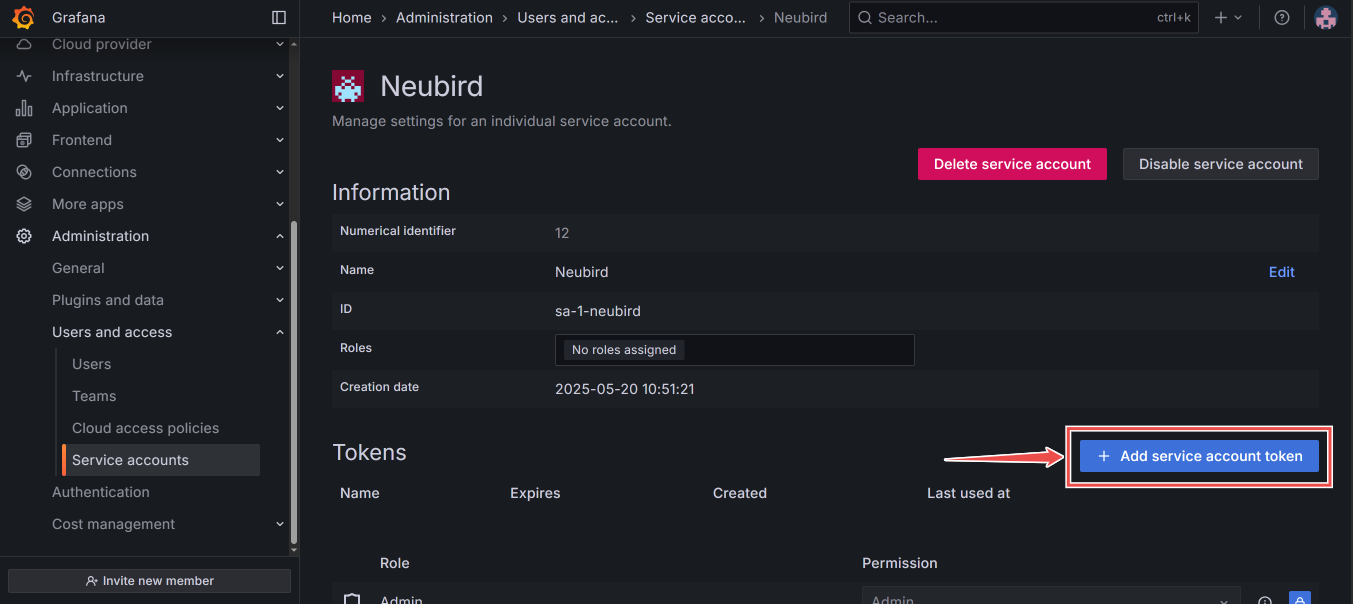
Click Add Service Account Token: At the bottom-right corner of the new service account page, click Add service accounts token.
-
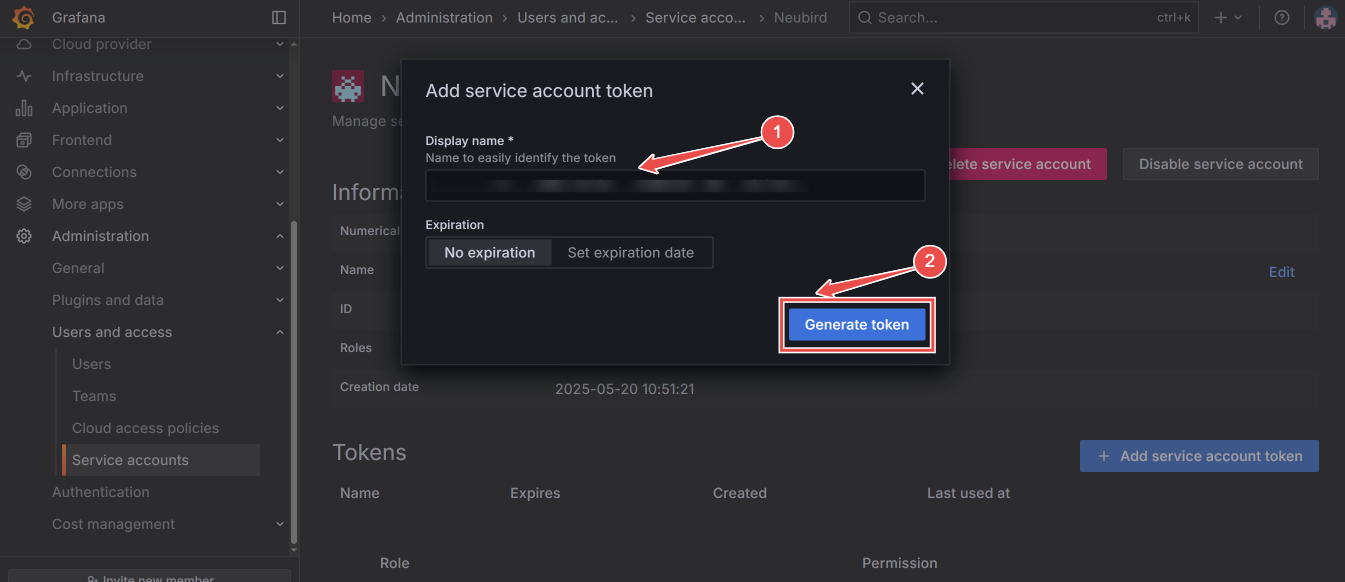
Enter token display name: Enter a display name for your token and click Generate token.
-
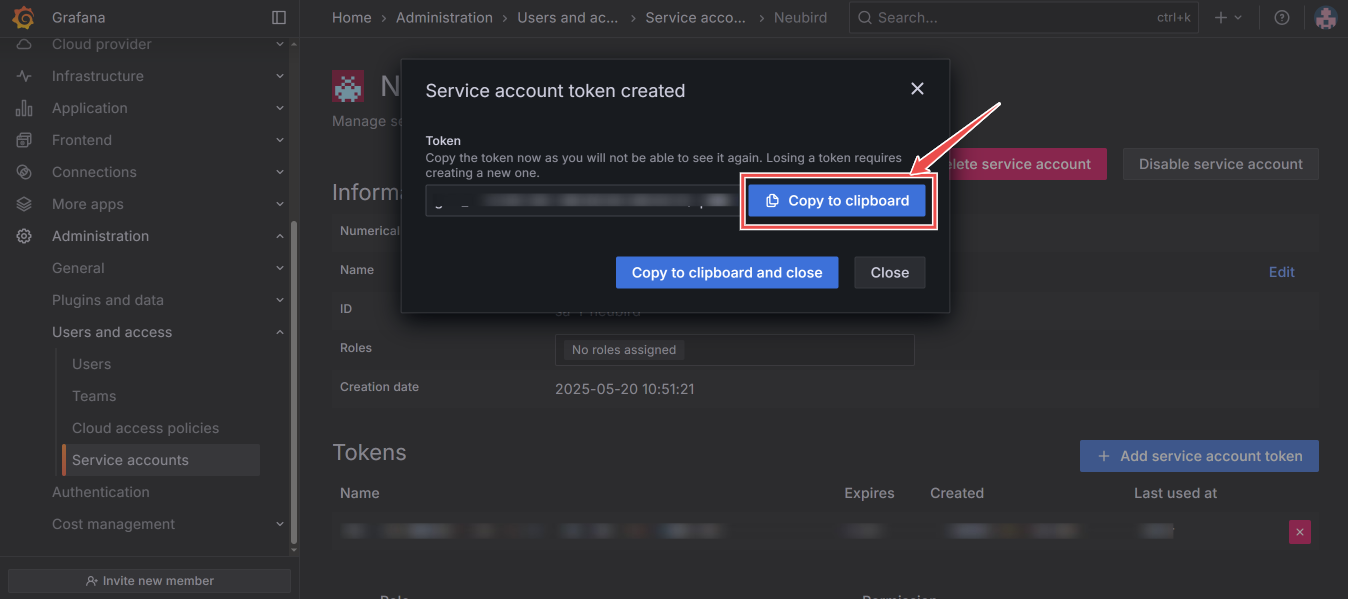
Copy token: Your new service account token has been created. Copy and store your token securely.
Connection Fields
Section titled “Connection Fields”| Field | Required | Description |
|---|---|---|
| Name | Yes | A descriptive name for this connection |
| Description | No | Additional context about the integration |
| Endpoint | Yes | Your Grafana instance URL (from your browser address bar) |
| Token | Yes | The service account token generated in Step 1 |
For general instructions on creating and managing connections, see the Connections Overview.