



Elasticsearch
Connecting NeuBird to your Elasticsearch instance enables collection of telemetry data related to search queries, index performance, and cluster health. To integrate, you authenticate using an Elasticsearch API key with read-only privileges.
Step 1: Generate an Elasticsearch API Key
Section titled “Step 1: Generate an Elasticsearch API Key”-
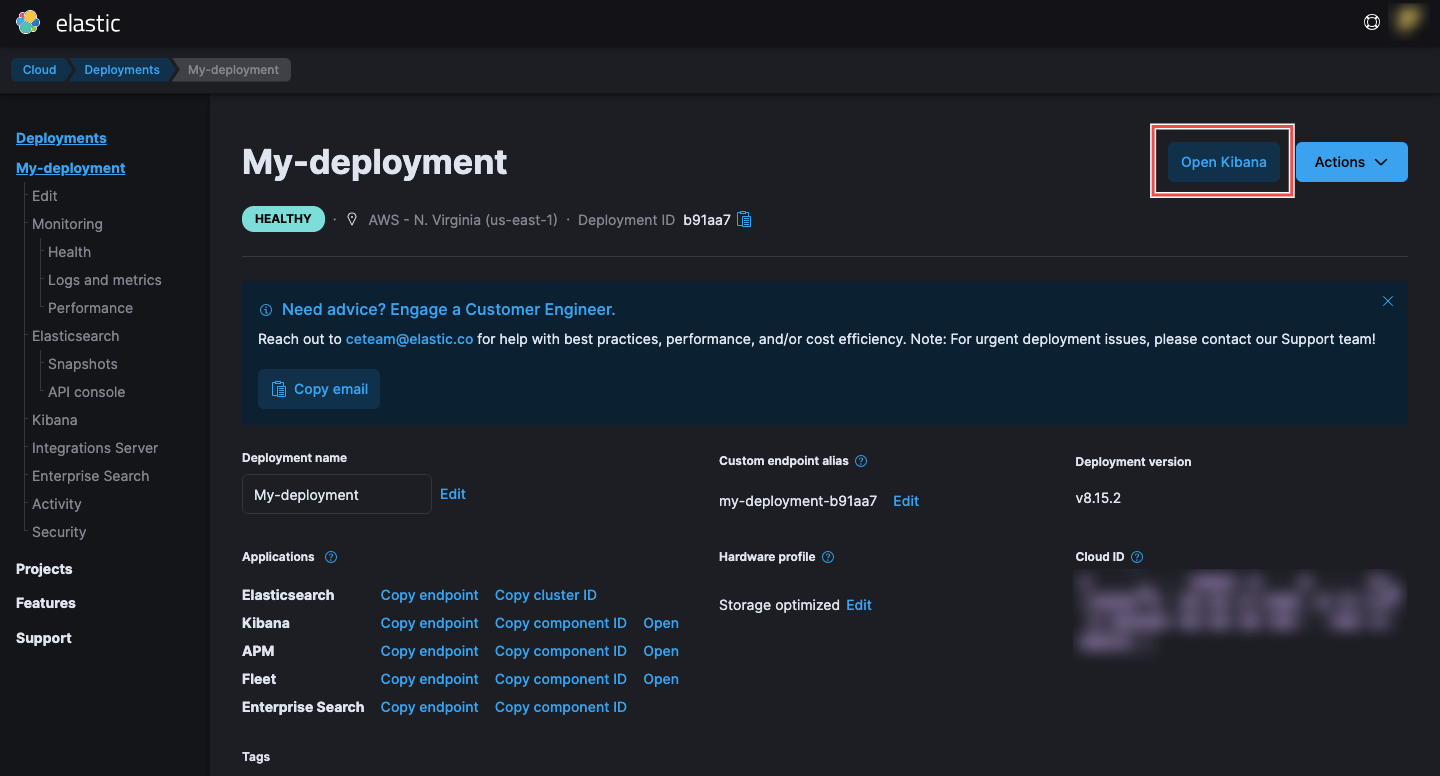
Access Elasticsearch Security Settings: Log in to your Elasticsearch instance, navigate to your deployment, and click on Open Kibana.
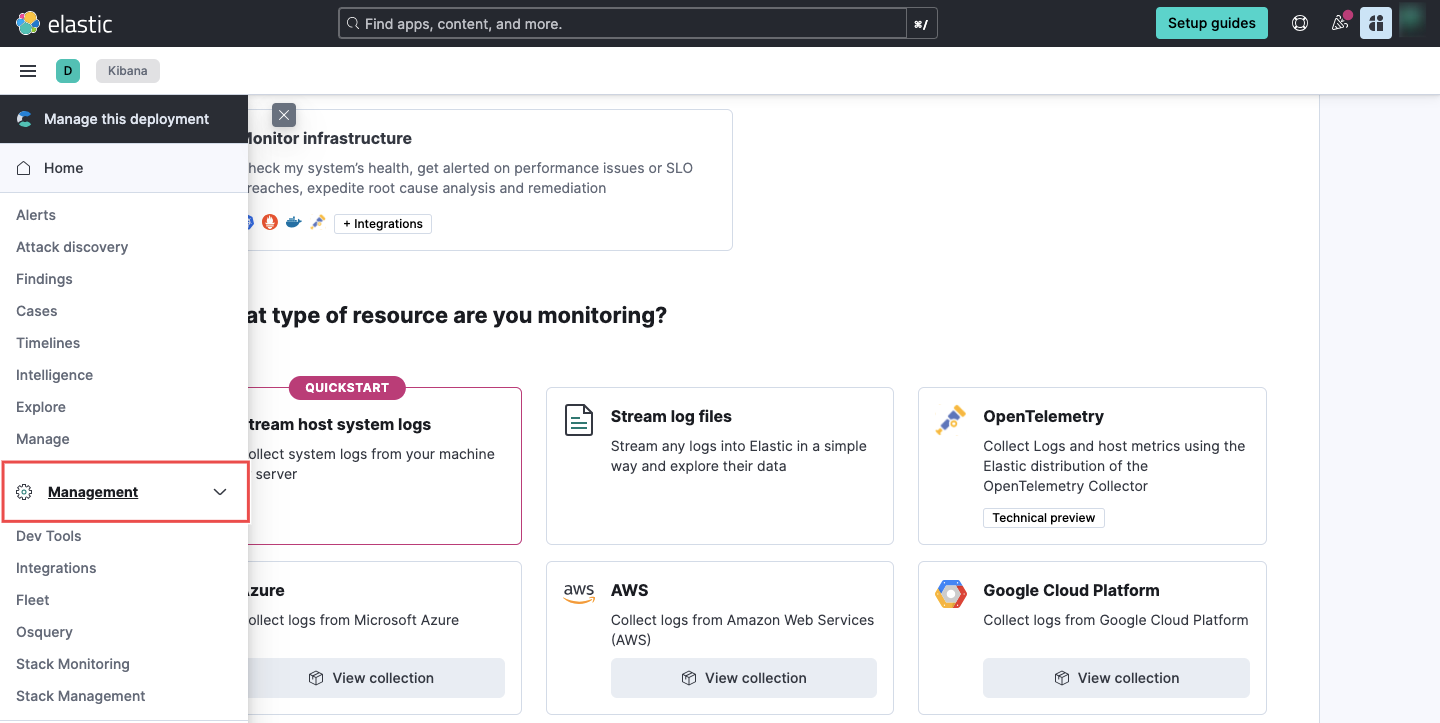
On Kibana, navigate to the Management section.
-
Navigate to API Keys: Under the Security settings, click on API Keys > Create API key.
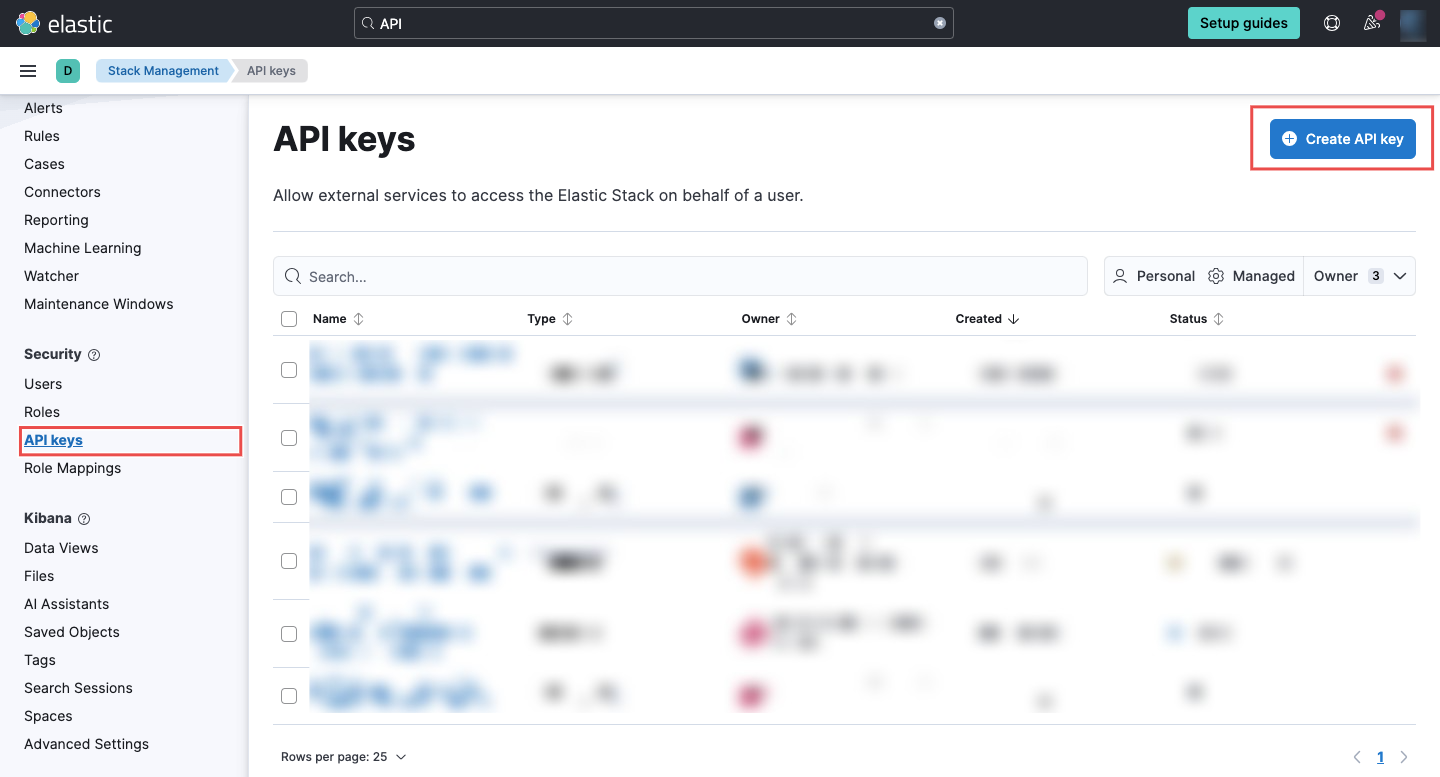
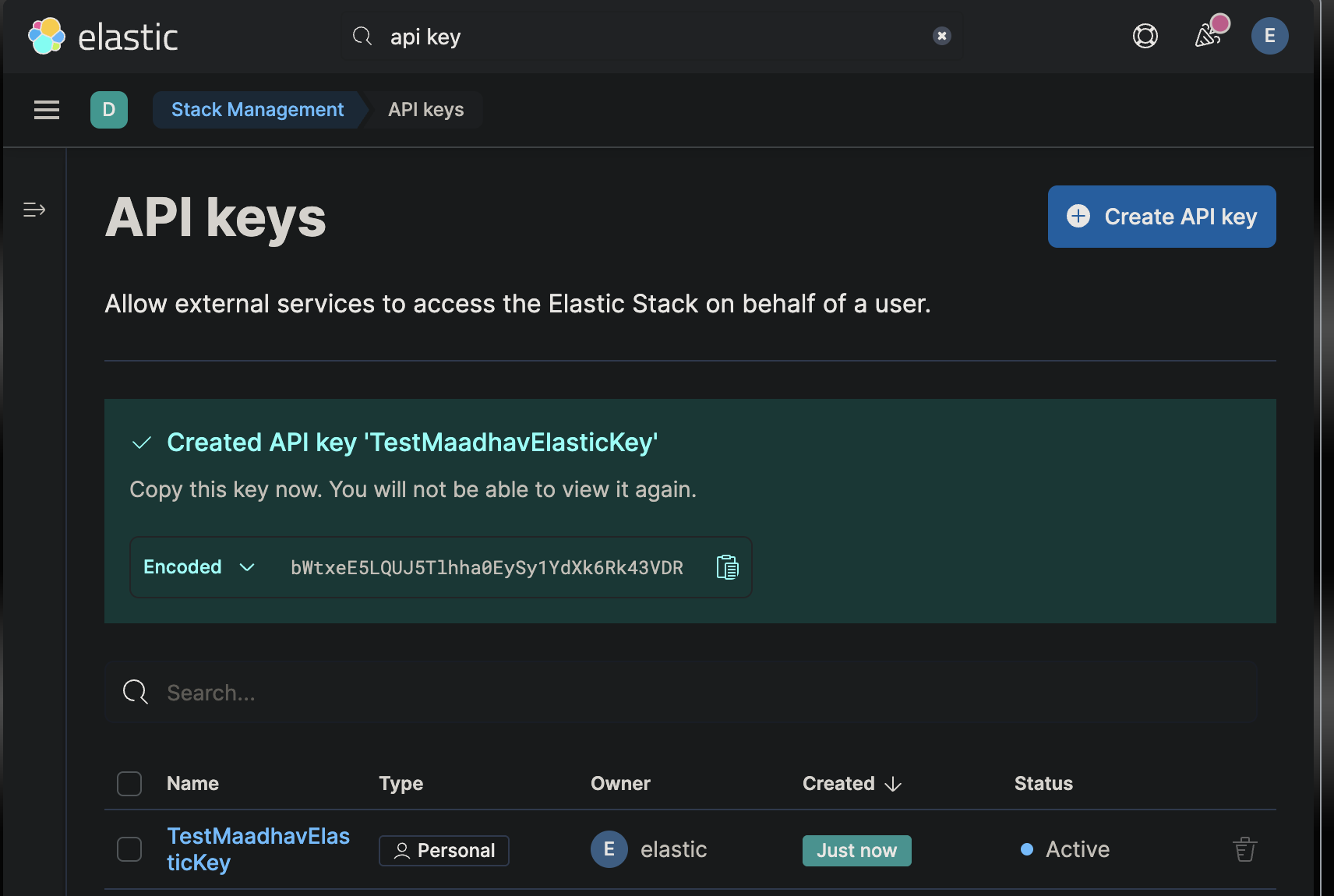
Tip: If you can’t find the API Keys section from the Kibana sidebar, use the search bar at the top of the page and search for “api key” to jump directly to Stack Management > API keys.
-
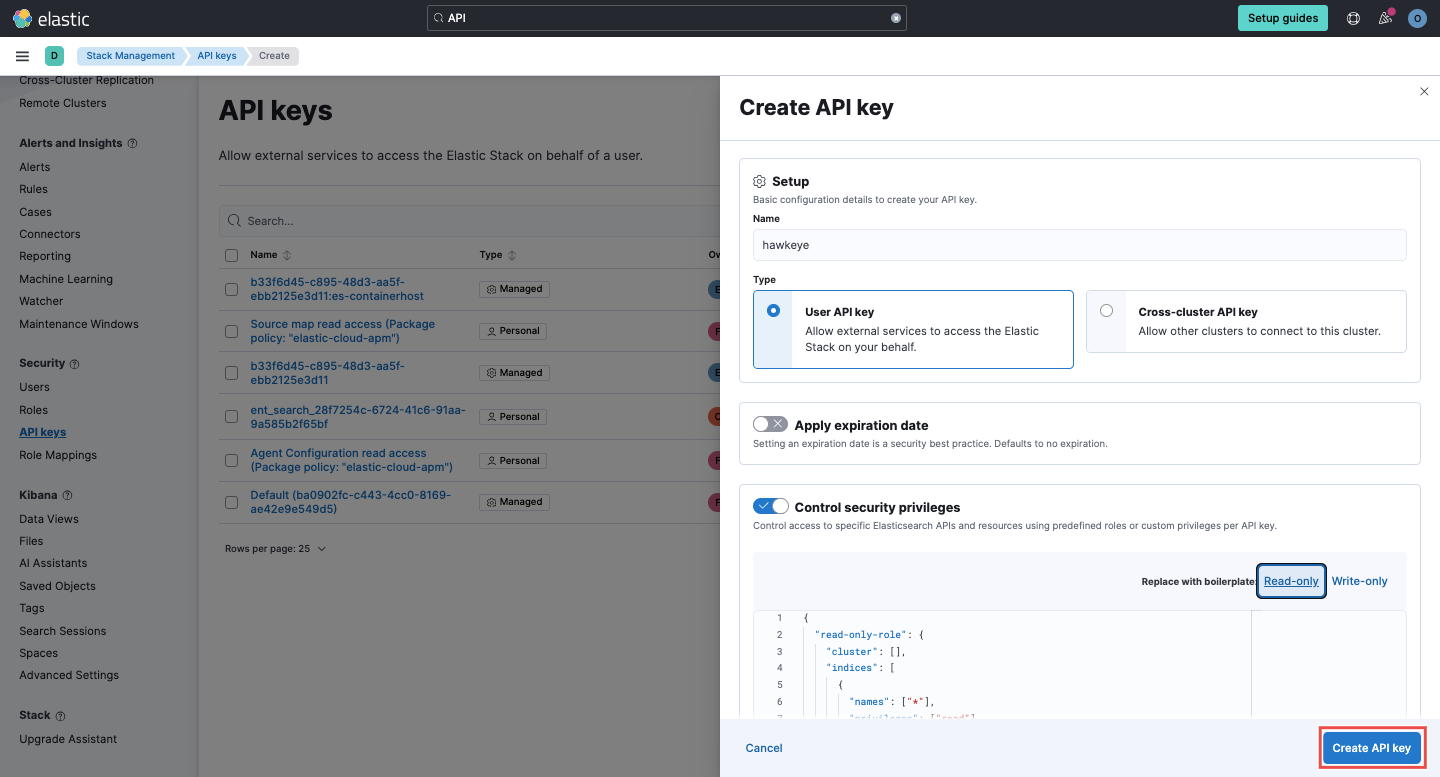
Create a New API Key:
-
Provide a name for the API key.
-
Select the type of API key and choose read-only as the security privilege level.
-
-
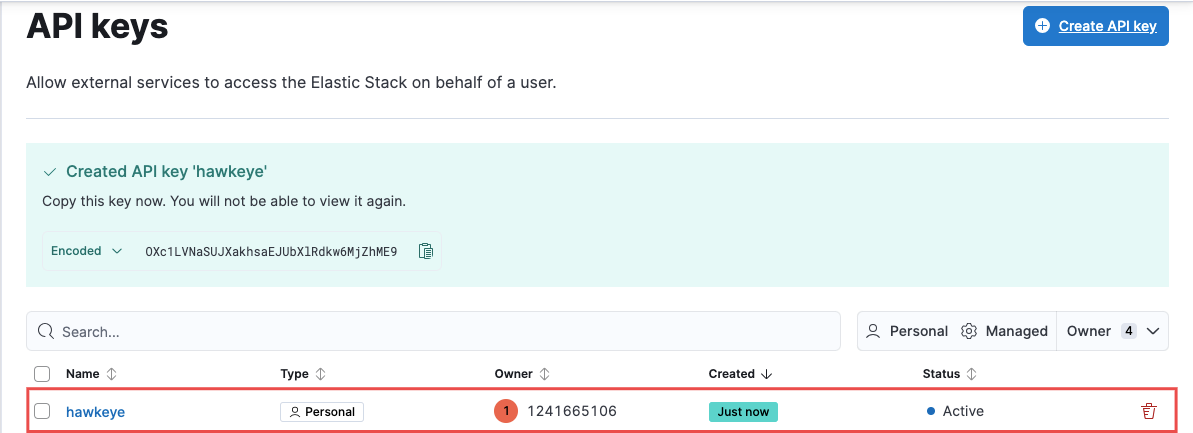
Copy the API Key: Once generated, copy the API key. You will not be able to view it again after navigating away, so store it securely.
Connection Fields
Section titled “Connection Fields”| Field | Required | Description |
|---|---|---|
| Name | Yes | A descriptive name for the connection |
| Description | No | A brief description of this integration |
| API Key | Yes | The read-only API key generated in Step 1 |
| Unique ID Key | No | Organization-specific ID key for tracking and audits |
| Elasticsearch URL | Yes | Your Elasticsearch instance URL (format: https://<your-elasticsearch-domain>/_api/<endpoint>) |
| Cloud ID | No | The Cloud ID if using Elastic Cloud |
| Indices | No | Comma-separated index names to check when validating the connection, e.g. logs-*,metrics-*. Each entry is matched as a prefix, not an exact match — it’s treated as <value>* unless you already added the trailing * yourself, and both the plain index name and its data-stream backing-index form (.ds-<value>*) are checked. This only confirms NeuBird can reach at least one matching index when the connection is created; it does not restrict which indices the AI can query afterward — searches, mappings, and index listings can still see every index your API key has permission to read. Leave blank to validate against all open indices in the cluster instead. |
For general instructions on creating and managing connections, see the Connections Overview.