



MongoDB Atlas
Connect MongoDB Atlas to collect database metrics, logs, and performance data, enabling you to monitor and optimize your clusters.
Step 1: Create a MongoDB Atlas API Key
Section titled “Step 1: Create a MongoDB Atlas API Key”Create an API key with appropriate permissions to allow NeuBird to retrieve necessary data.
-
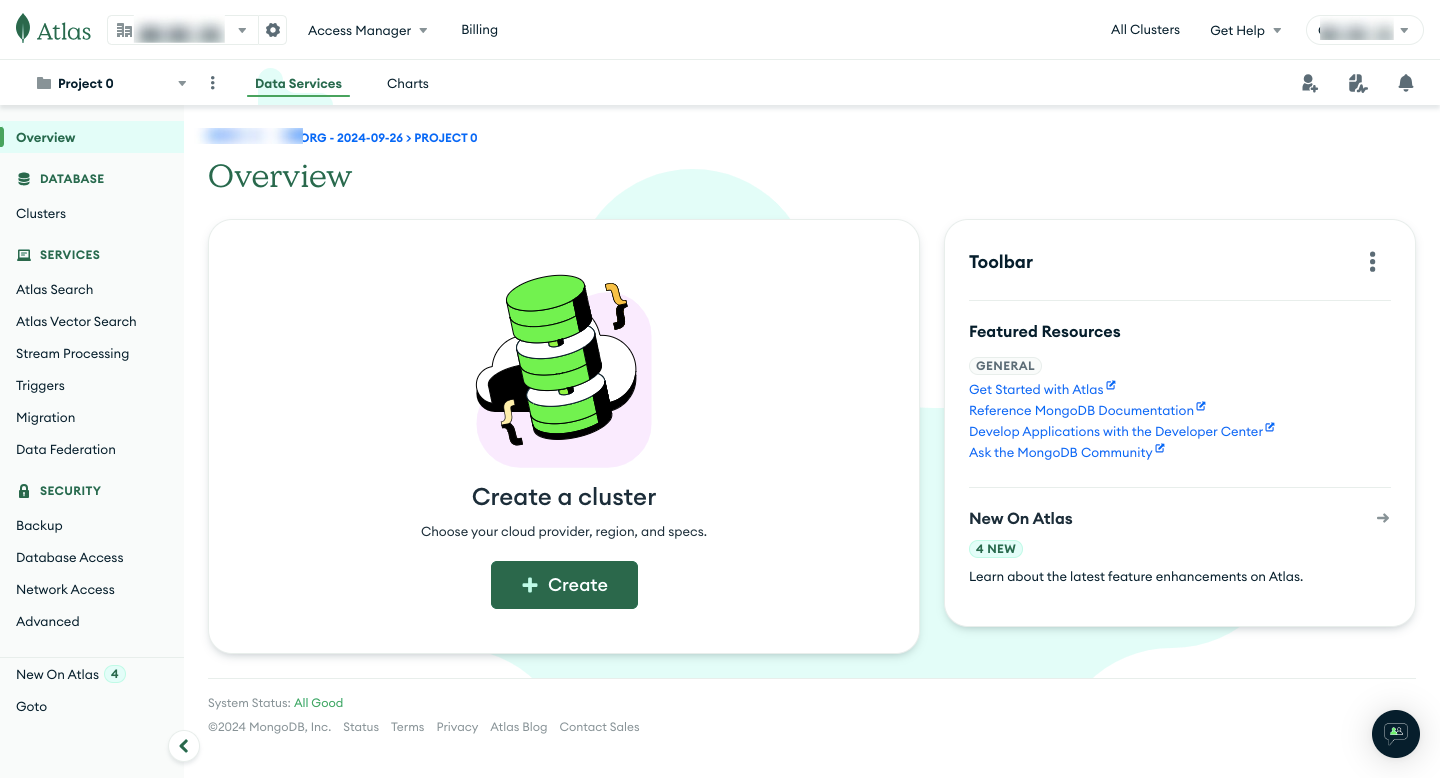
Log in to MongoDB Atlas: Go to the MongoDB Atlas console and log in to your account.
-
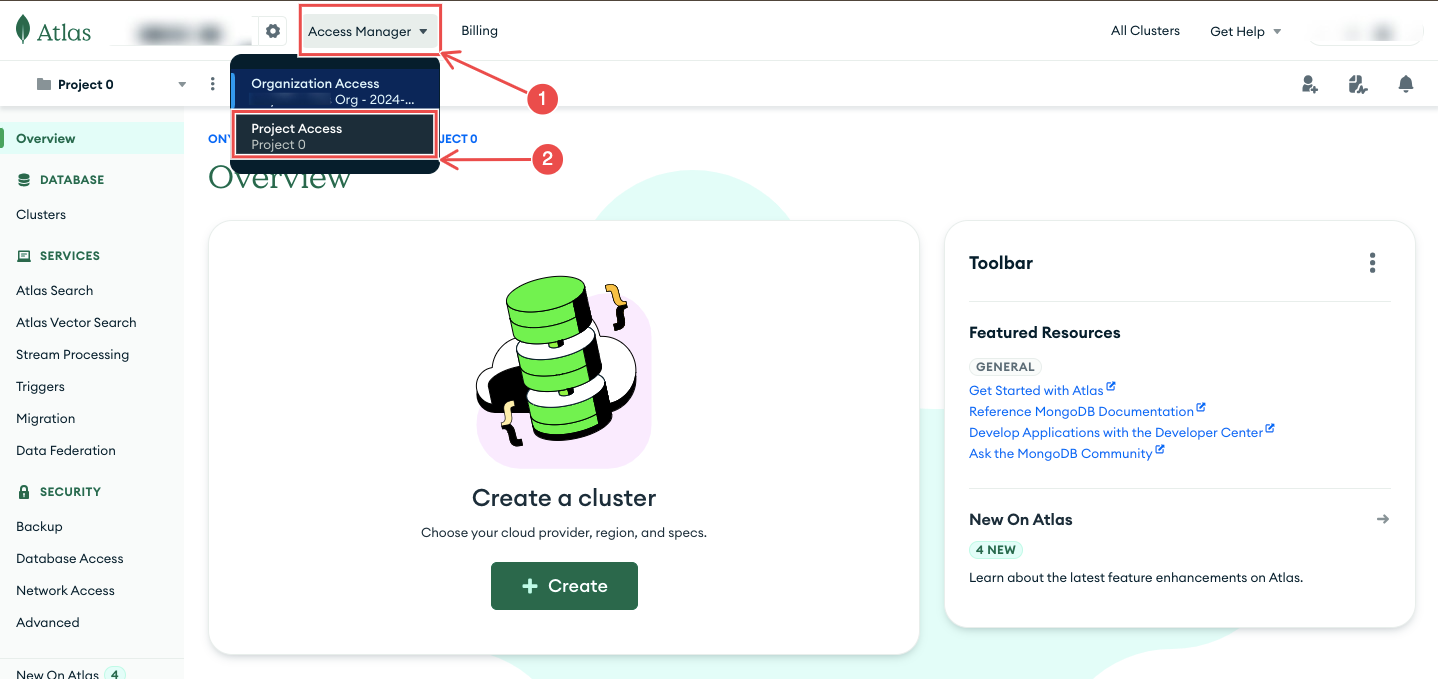
Navigate to Organization Access Manager: From the Atlas dashboard, select Access Manager > Project Access.
-
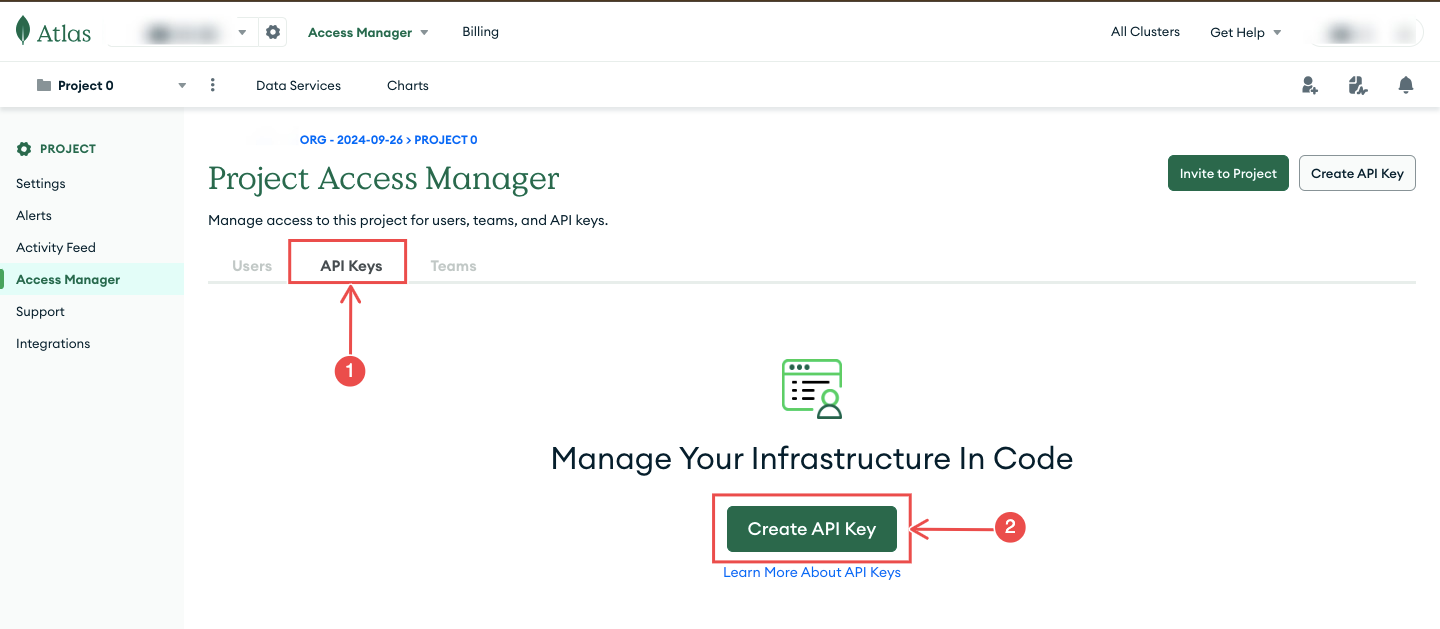
Create a Project API Key: Click on the API Keys tab and then select Create API Key.
-
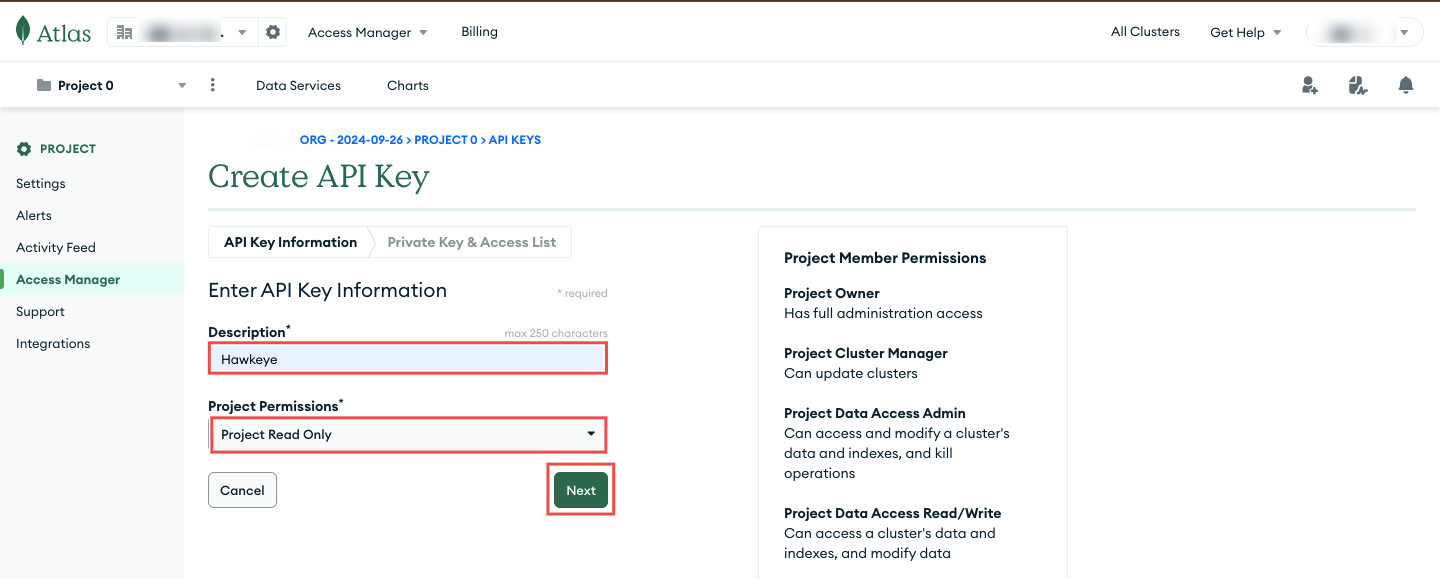
Provide credentials:
- Provide a description for the API key.
- Assign appropriate roles to the API key. At minimum, grant Project Read Only to allow NeuBird to retrieve telemetry data.
-
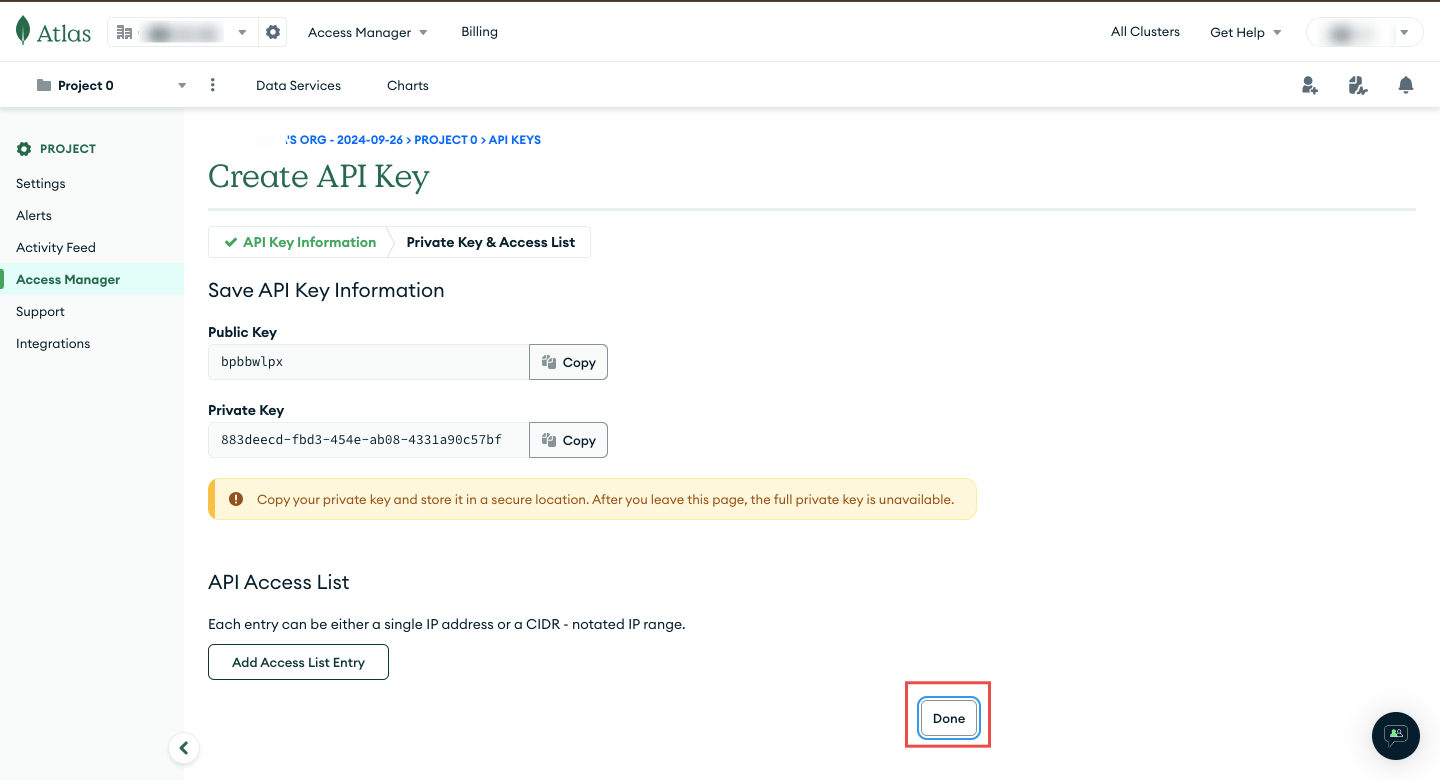
Copy the API Key: Once the API key is created, copy both the Public Key and Private Key. You will need these when creating the connection.
Connection Fields
Section titled “Connection Fields”| Field | Required | Description |
|---|---|---|
| Name | Yes | A display name for this connection |
| Description | No | Optional description of the integration |
| API Key | Yes | The API key generated from the MongoDB Atlas console |
| Project ID | Yes | Your MongoDB Atlas Project ID (found under Project Settings in the Atlas dashboard) |
For general instructions on creating and managing connections, see the Connections Overview.