Admin
The Users page lets admins manage team members, assign roles, and invite new users. Only users with the Admin role can change other users’ roles.
Managing User Roles
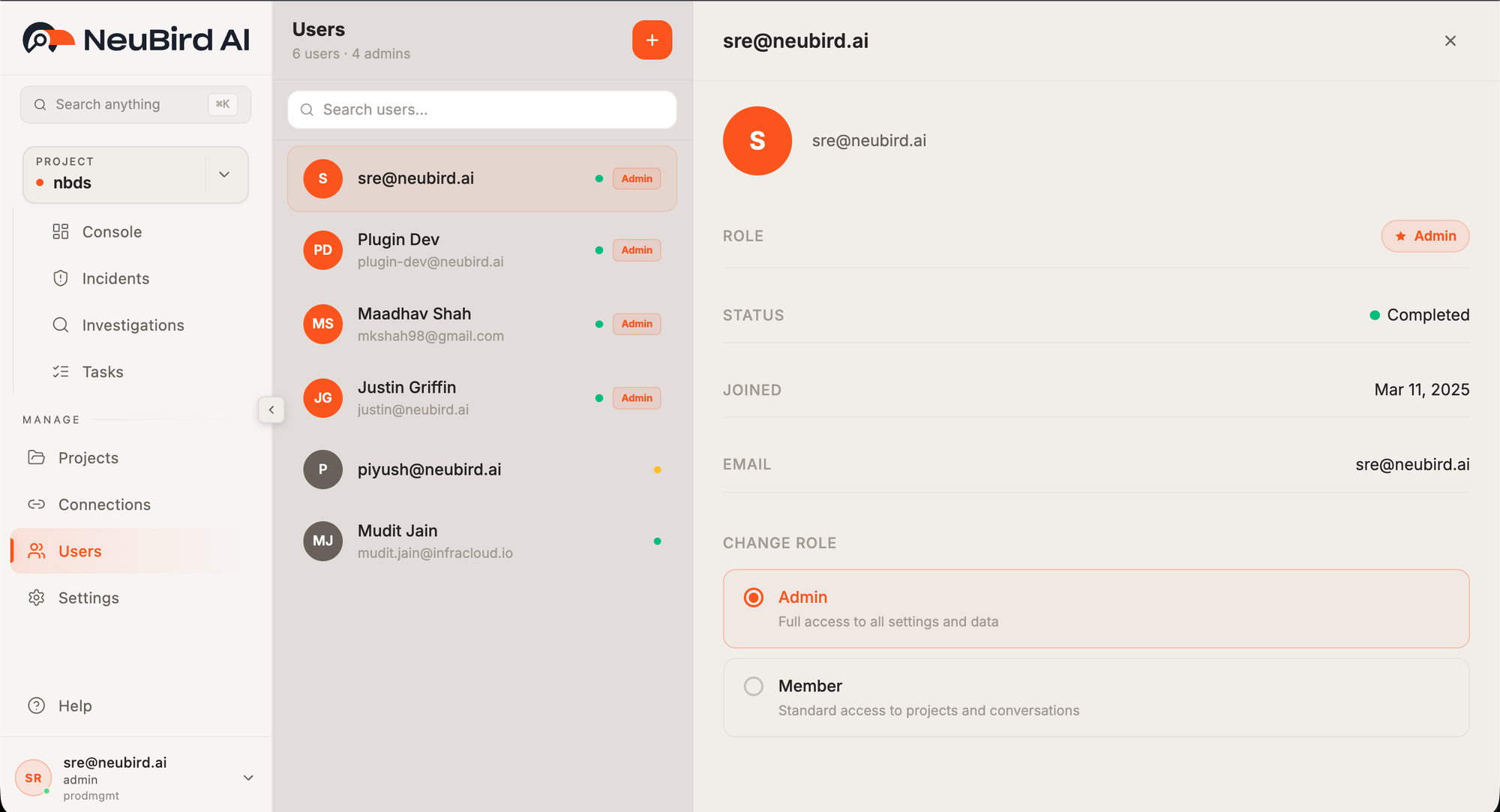
Section titled “Managing User Roles”Navigate to Users in the sidebar to see all organization members. Click any user to open their detail panel, which shows their role, status, join date, and email.
To change a user’s role, scroll to the Change Role section in the detail panel and select the new role. The change saves automatically.
Available Roles
Section titled “Available Roles”NeuBird has two user roles:
Admin — Full access to all settings and data. Admins can:
- Manage user roles (including their own)
- Configure organization settings
- Create and manage connections, projects, and tasks
- Run investigations
Member — Standard access to projects and conversations. Members can:
- Create and manage connections and projects
- Run investigations and view results
- Use AI-powered features (Ask Agent, tasks)
Members cannot modify organization settings or change other users’ roles.
Inviting Users
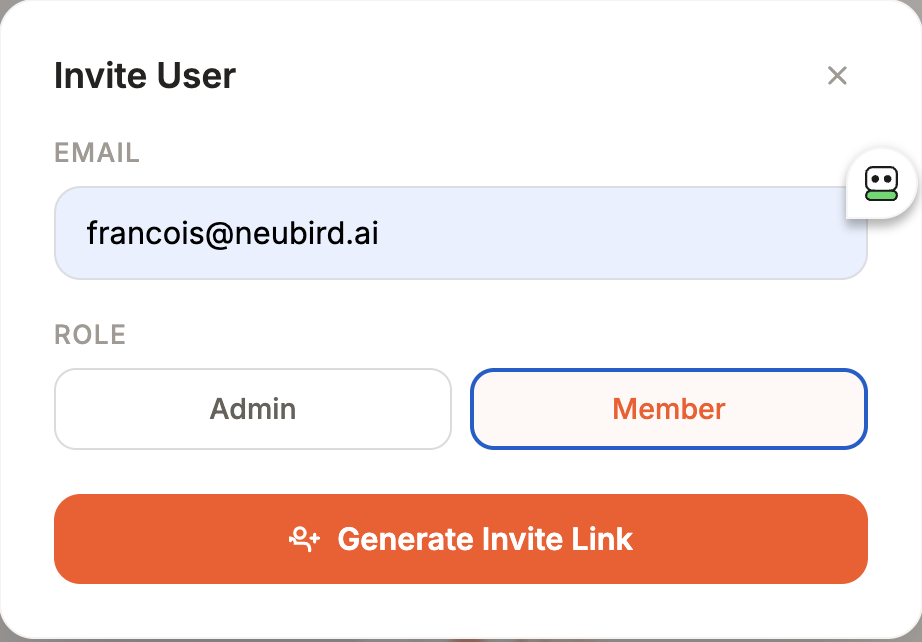
Section titled “Inviting Users”Click the + button in the top-right corner of the Users page to open the invite dialog. Enter the new user’s email address, select their role (Admin or Member), and click Generate Invite Link. The invite link is sent to the provided email.